
Kata Containers: When "Container Escape" Stops Working
A hands-on look at what actually changes when your pods run inside a VM instead of sharing the host
Working as a solutions architect while going deep on Kubernetes security — prevention-first thinking, open source tooling, and a daily rabbit hole of hands-on learning. I make the mistakes, then figure out how to fix them (eventually).
I wanted to try Kata Containers. Not in a "read the docs and feel informed" way, but in a burrito way. Which of course means: run it, break it, and see what actually changes.
Because on paper, Kata sounds like the answer to a question we've mostly hand-waved: what if containers weren't just sharing the same kernel and hoping for the best?
So I did what I always do. I spun up…Spun up a quick Kubernetes lab, installed the runtime, applied a RuntimeClass, and waited for my pod to come up. It didn't. It just sat there. ContainerCreating. Mocking me. No obvious misconfig, no broken YAML, just enough of an error to suggest something deeper was wrong and not enough to tell me what.
After a bit of digging, the problem became clear: I wasn't missing configuration. I was missing a hypervisor. More specifically, I was trying to run VM-backed containers on infrastructure that had absolutely no intention of letting me run a VM inside it. My local lab VM? Not a chance. Apple Silicon says no.
So instead of fighting the environment, I changed it. I spun up a GCP instance with nested virtualization enabled and tried again. Same Kubernetes setup. Same RuntimeClass. Completely different result.
And that's when things finally started to work. But getting Kata running turned out to be the easy part. Understanding what it actually changes, especially for container security, is where things get interesting.
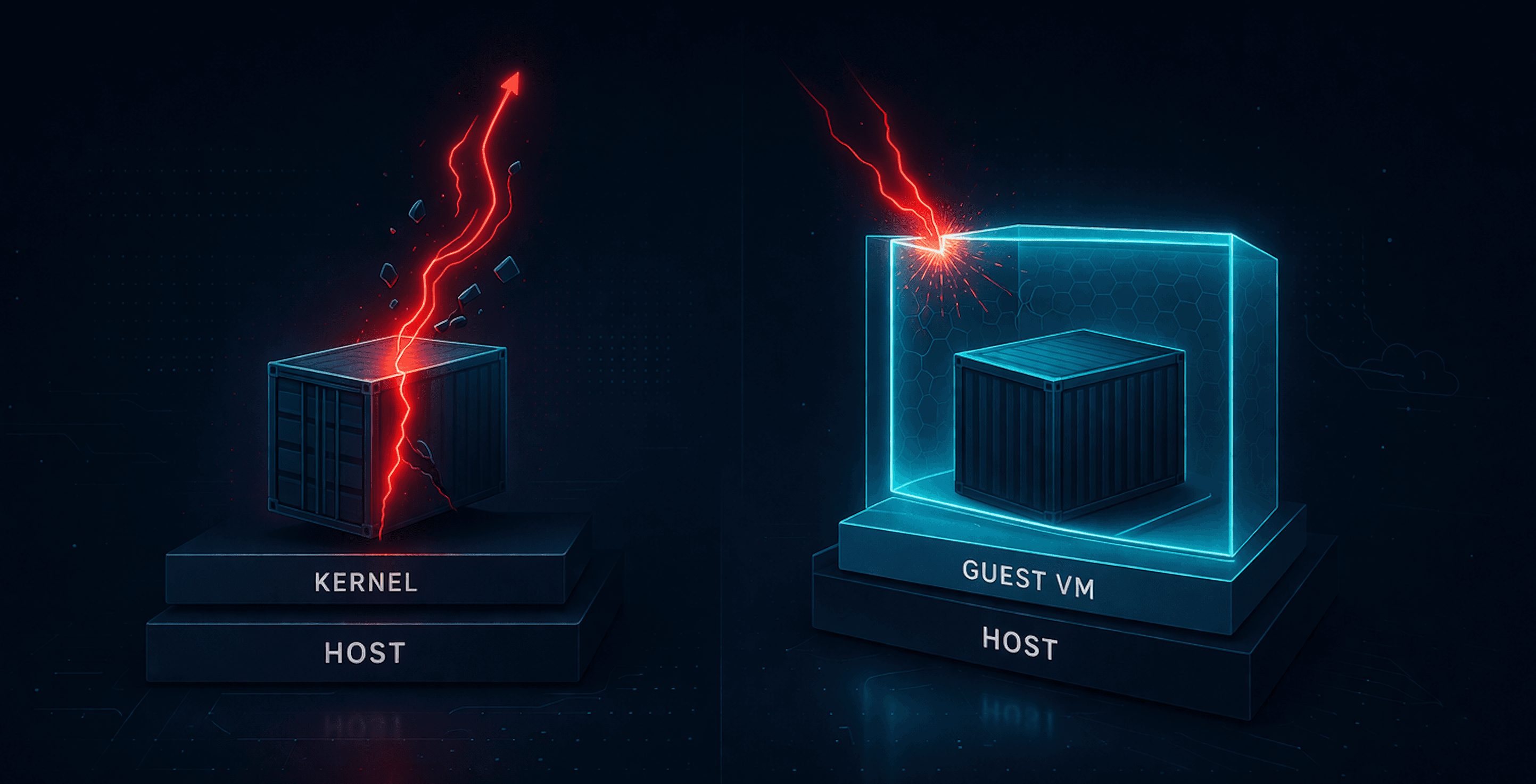
Diagram

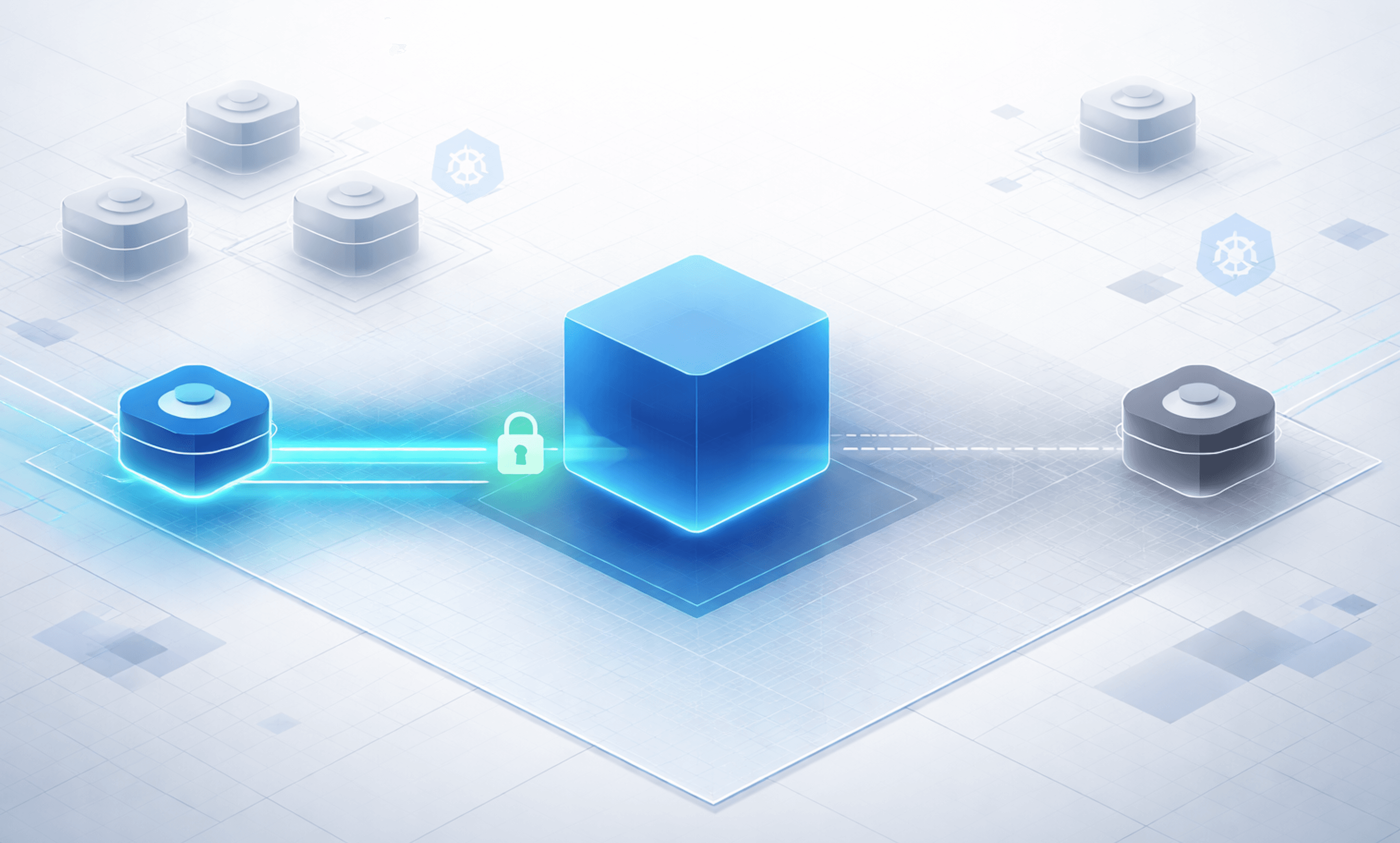
This diagram shows the key difference between standard containers and Kata. In a normal setup, containers share the host kernel, which is why escapes can reach the node. With Kata, the workload runs inside a microVM with its own guest kernel, backed by KVM. The result is simple: the isolation boundary moves. Instead of going straight to the host, an escape attempt hits the VM boundary first.
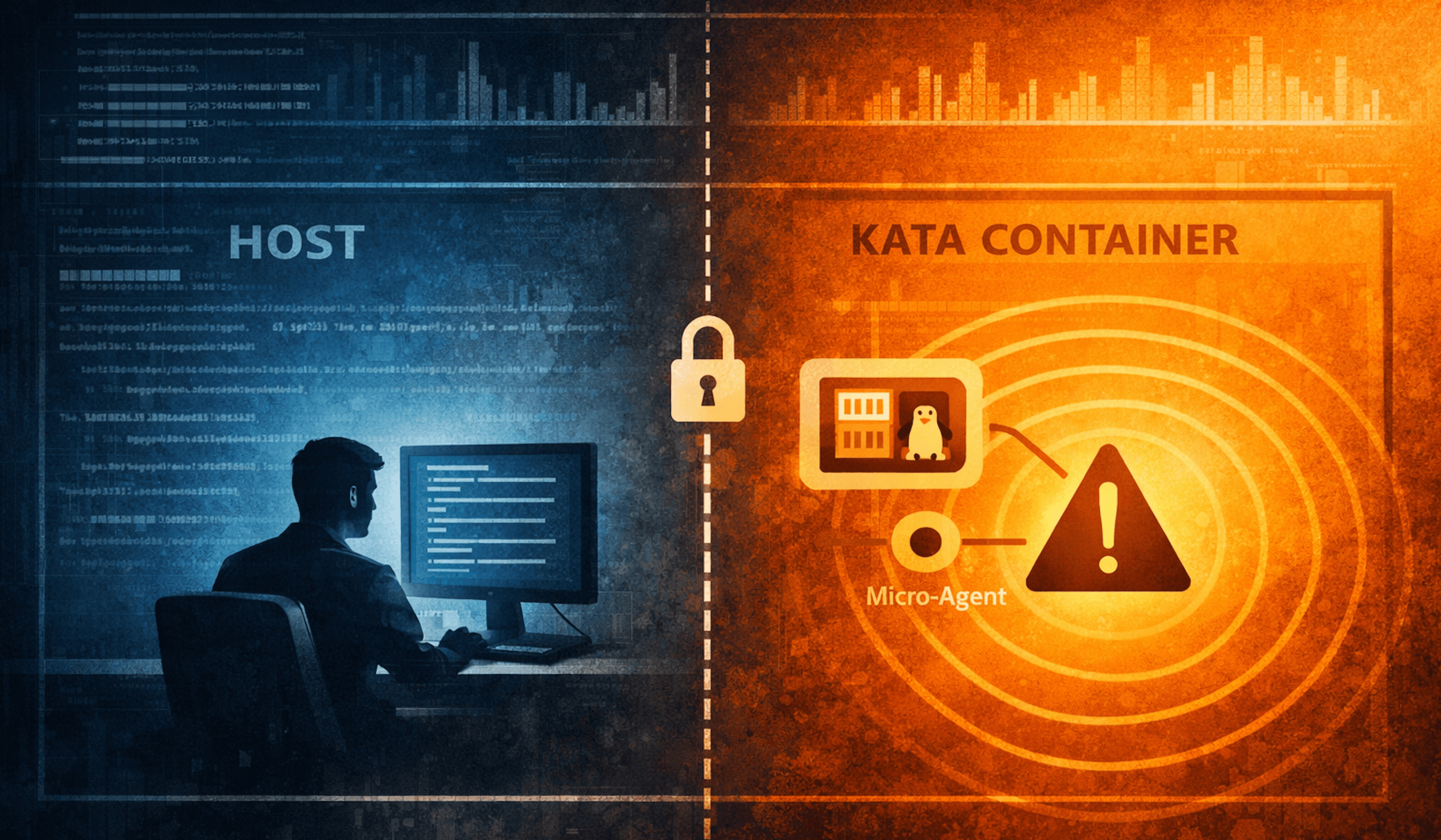
Kata Containers Local Lab Failure
I started by installing Kata directly into my Kubernetes lab using the official Helm chart. On the surface, everything looked fine.
The chart installed cleanly:
export VERSION=$(curl -sSL https://api.github.com/repos/kata-containers/kata-containers/releases/latest | jq .tag_name | tr -d '"')
export CHART="oci://ghcr.io/kata-containers/kata-deploy-charts/kata-deploy"
helm install kata-deploy "\({CHART}" --version "\){VERSION}"
A kata-deploy DaemonSet showed up, and RuntimeClasses were created:
matt@ciliumcontrolplane:~$ kubectl get runtimeclass
NAME                            HANDLER                         AGE
kata-clh                        kata-clh                        37s
kata-cloud-hypervisor           kata-cloud-hypervisor           37s
kata-dragonball                 kata-dragonball                 37s
kata-fc                         kata-fc                         37s
...
At this point, it looked like Kata was ready to go.
Failure 1: kata-deploy installer issues
The kata-deploy pod was not actually completing successfully. Its logs showed:
[2026-03-19T23:05:55Z INFO  kata_deploy::artifacts::install] Generating drop-in configuration files for shim: clh
[2026-03-19T23:05:55Z INFO  kata_deploy::artifacts::install] Setting up runtime directory for shim: cloud-hypervisor
Error: Configuration file not found: "/host/opt/kata/share/defaults/kata-containers/runtime-rs/runtimes/cloud-hypervisor/configuration-cloud-hypervisor.toml". This file should have been symlinked from the original config. Check that the shim 'cloud-hypervisor' has a valid configuration file in the artifacts.
The installer was attempting to configure multiple hypervisor shims, including cloud-hypervisor, but the expected configuration artifacts were not present. This meant the node was never fully prepared for Kata, even though Kubernetes objects like RuntimeClass were already created.
The fix is to stop trying to install everything and just enable a single, known-good shim. Create a Helm override file (kata-override.yaml):
shims:
  disableAll: true
  qemu:
    enabled: true
defaultShim:
  amd64: qemu
  arm64: qemu
Then reinstall the chart with the override:
helm uninstall kata-deploy

helm install kata-deploy "${CHART}" \
  --version "${VERSION}" \
  -f kata-override.yaml
Voilà! Now the installer skips the problematic shims, completes cleanly, and you finally have a usable kata-qemu runtime.
So now let's deploy a simple test pod using our kata-qemu runtime class:
apiVersion: v1
kind: Pod
metadata:
  name: kata-test
spec:
  runtimeClassName: kata-qemu
  containers:
    - name: nginx
      image: nginx:stable
Kubernetes accepted the pod and attempted to start it. The pod moved into ContainerCreating, which meant:
Scheduling worked
The RuntimeClass was recognized
Kubernetes handed execution off to the runtime layer
Then it failed.
Failure 2: RuntimeClass exists, but runtime does not
Despite the installer issues, the RuntimeClass still existed. This created a false sense that everything was configured correctly.
When the pod attempted to start, containerd produced the real error:
Warning FailedCreatePodSandBox 7s (x10 over 2m7s) kubelet Failed to create pod sandbox: rpc error: code = Unknown desc = failed to create containerd task: failed to create shim task: Could not create the sandbox resource controller failed to add any hypervisor device to devices cgroup: unknown
At this point, the problem finally became clear. Kubernetes had done its job. The RuntimeClass was valid. The scheduler placed the pod. Kata even got far enough to try launching the sandbox. But when it came time to actually create the VM-backed workload, the runtime had nothing to attach.
There was no usable hypervisor device. No /dev/kvm. No hardware-backed virtualization exposed to the node. Just a container runtime being asked to spin up a VM on infrastructure that fundamentally couldn’t support it.
And that’s a real requirement for Kata. Not just Kubernetes. Not just containerd. Actual access to virtualization through KVM.
GCP Fix
Getting Kata to actually run came down to one thing: giving it a real hypervisor.
I landed on GCP for this. Not because I suddenly became a GCP fan, but because it’s relatively straightforward, reasonably priced, and doesn’t fight you too much when you ask for nested virtualization. More importantly, it’s easy to spin up and tear down with Terraform, which makes the whole experiment repeatable instead of a one-off science project.
The setup itself is not complicated, but it is very particular. You need a machine that actually supports virtualization features. I used a n2-standard-4 with an Intel Cascade Lake CPU and Ubuntu, which is enough for a small lab.
The important part is enabling nested virtualization. Without that, you’re back to the same failure mode as local: everything looks fine, Kubernetes objects exist, but nothing actually works because there’s no hypervisor underneath.
Once nested virtualization is enabled, you finally have what Kata has been quietly asking for the entire time: the ability to run a VM inside your node. At that point, the rest of the setup starts behaving the way the docs promised.
Reproducing the Lab on GCP
Here is the Terraform I used to set the infra up: https://github.com/sf-matt/theburrito/tree/main/kata-gcp-k8s-lab. This gets you a small but workable lab with the things Kata actually cares about:
nested virtualization enabled
Intel Haswell minimum CPU platform
Ubuntu 22.04
Kubernetes installed at boot
Helm installed at boot
Once the instance is up and you can SSH in, I chose to use the SSH-in-browser, but pick your poison.
Set up kubectl
Just do the basics.
mkdir -p $HOME/.kube
sudo cp /etc/kubernetes/admin.conf $HOME/.kube/config
sudo chown \((id -u):\)(id -g) $HOME/.kube/config
Validate the node
Check a few things:
Health of node
Presence of
/dev/kvmHealth of pods
matt@kata-k8s-node:~$ kubectl get nodes
NAME            STATUS   ROLES           AGE   VERSION
kata-k8s-node   Ready    control-plane   10m   v1.32.13
matt@kata-k8s-node:~$ ls /dev/kvm
/dev/kvm
matt@kata-k8s-node:~$ kubectl get po -A
NAMESPACE      NAME                                    READY   STATUS    RESTARTS   AGE
kube-flannel   kube-flannel-ds-wvchr                   1/1     Running   0          11m
kube-system    coredns-668d6bf9bc-2xllc                1/1     Running   0          11m
kube-system    coredns-668d6bf9bc-9vgrm                1/1     Running   0          11m
kube-system    etcd-kata-k8s-node                      1/1     Running   0          11m
kube-system    kube-apiserver-kata-k8s-node            1/1     Running   0          11m
kube-system    kube-controller-manager-kata-k8s-node   1/1     Running   0          11m
kube-system    kube-proxy-4j4sc                        1/1     Running   0          11m
kube-system    kube-scheduler-kata-k8s-node            1/1     Running   0          11m
Assuming this looks good, you can proceed to setting up Kata.
Install Kata
First we set the variables.
export VERSION=$(curl -sSL https://api.github.com/repos/kata-containers/kata-containers/releases/latest | jq .tag_name | tr -d '"')
export CHART="oci://ghcr.io/kata-containers/kata-deploy-charts/kata-deploy"
Then just use Helm to install it.
helm install kata-deploy "\({CHART}" --version "\){VERSION}"
Check runtime classes. There will be a lot.
matt@kata-k8s-node:~$ kubectl get runtimeclass
NAME                            HANDLER                         AGE
kata-clh                        kata-clh                        105s
kata-cloud-hypervisor           kata-cloud-hypervisor           105s
kata-dragonball                 kata-dragonball                 105s
kata-fc                         kata-fc                         105s
kata-qemu                       kata-qemu                       105s
kata-qemu-cca                   kata-qemu-cca                   105s
kata-qemu-coco-dev              kata-qemu-coco-dev              105s
kata-qemu-coco-dev-runtime-rs   kata-qemu-coco-dev-runtime-rs   105s
kata-qemu-nvidia-gpu            kata-qemu-nvidia-gpu            105s
kata-qemu-nvidia-gpu-snp        kata-qemu-nvidia-gpu-snp        105s
kata-qemu-nvidia-gpu-tdx        kata-qemu-nvidia-gpu-tdx        105s
kata-qemu-runtime-rs            kata-qemu-runtime-rs            105s
kata-qemu-se                    kata-qemu-se                    105s
kata-qemu-se-runtime-rs         kata-qemu-se-runtime-rs         105s
kata-qemu-snp                   kata-qemu-snp                   105s
kata-qemu-snp-runtime-rs        kata-qemu-snp-runtime-rs        105s
kata-qemu-tdx                   kata-qemu-tdx                   105s
kata-qemu-tdx-runtime-rs        kata-qemu-tdx-runtime-rs        105s
Test Isolation
Now on to the obligatory Netshoot container escape test. This was previously used to test Talos and how the OS surface was greatly reduced. But of course with Kata we can eliminate even that concern.
The deployments below are both non-Kata and Kata container. Save it as escape.yaml. I've chosen kata-qemu in this case.
apiVersion: apps/v1
kind: Deployment
metadata:
  name: normal-escape
spec:
  replicas: 1
  selector:
    matchLabels:
      app: normal-escape
  template:
    metadata:
      labels:
        app: normal-escape
        mode: normal
    spec:
      hostPID: true
      containers:
        - name: escape
          image: nicolaka/netshoot:latest
          command: ["sleep", "3600"]
          securityContext:
            privileged: true
          volumeMounts:
            - name: host-root
              mountPath: /host
      volumes:
        - name: host-root
          hostPath:
            path: /
            type: Directory
---
apiVersion: apps/v1
kind: Deployment
metadata:
  name: kata-escape
spec:
  replicas: 1
  selector:
    matchLabels:
      app: kata-escape
  template:
    metadata:
      labels:
        app: kata-escape
        mode: kata
    spec:
      runtimeClassName: kata-qemu
      hostPID: true
      containers:
        - name: escape
          image: nicolaka/netshoot:latest
          command: ["sleep", "3600"]
          securityContext:
            privileged: true
          volumeMounts:
            - name: host-root
              mountPath: /host
      volumes:
        - name: host-root
          hostPath:
            path: /
            type: Directory
Apply:
kubectl apply -f escape.yaml
Let's Escape
Let's grab the pods for easy exec access.
NORMAL_POD=$(kubectl get pod -l app=normal-escape -o jsonpath='{.items[0].metadata.name}')
KATA_POD=$(kubectl get pod -l app=kata-escape -o jsonpath='{.items[0].metadata.name}')
Then run the escape on normal pod.
matt@kata-k8s-node:~\( kubectl exec -it \)NORMAL_POD -- /bin/bash
normal-escape-746ccd6646-jqssr:~# uname -a
Linux normal-escape-746ccd6646-jqssr 6.8.0-1048-gcp #51~22.04.1-Ubuntu SMP Wed Feb 11 02:58:49 UTC 2026 x86_64 Linux
normal-escape-746ccd6646-jqssr:~# nsenter --target 1 --mount --uts --ipc --net --pid
# uname -a
Linux kata-k8s-node 6.8.0-1048-gcp #51~22.04.1-Ubuntu SMP Wed Feb 11 02:58:49 UTC 2026 x86_64 x86_64 x86_64 GNU/Linux
Cool that was easy. Now on to Kata. Same exact sequence.
matt@kata-k8s-node:~\( kubectl exec -it \)KATA_POD -- /bin/bash
kata-escape-594b89bd47-tt95r:~# uname -a
Linux kata-escape-594b89bd47-tt95r 6.18.15 #1 SMP Tue Mar 17 01:39:00 UTC 2026 x86_64 Linux
kata-escape-594b89bd47-tt95r:~# nsenter --target 1 --mount --uts --ipc --net --pid
nsenter: failed to execute /bin/sh: No such file or directory
The same namespace escape that worked in a standard container failed in the Kata-backed pod. Not because the command was wrong, but because the target was no longer the host. It was the init process inside a VM. The escape attempt never reached the node.
Wrap Up
Kata Containers are not complicated. Containers run inside a VM instead of directly on the host kernel. That’s the whole idea.
What can be complicated is everything around it. Getting the right infrastructure. Figuring out why things fail silently. Realizing that Kubernetes will happily accept your configuration even when the underlying runtime has no chance of working. Once you get past that, the behavior is very straightforward.
A normal container shares the host kernel. A privileged workload can pivot into host namespaces and, in the right conditions, reach the node.
A Kata-backed container does not. It runs with its own kernel inside a VM. The same escape attempt stops at that boundary. You are no longer one mistake away from the host.
This is not magic. It is just a shift in where the isolation boundary lives. Whether that tradeoff is worth it depends on your environment. If you are running untrusted workloads, multi-tenant systems, or anything where a container escape actually matters, it starts to look a lot more reasonable.
If nothing else, it is worth running this yourself. Not reading the docs. Not trusting a diagram. Actually running it and seeing what changes. Because once you see it fail in one runtime and stop in another, the difference is no longer theoretical.
This was a light look at Kata containers and isolation. Not to fear, more to come.