
What Changes When You Turn On mTLS
A hands-on walkthrough with Linkerd and cert-manager, from open traffic to enforced identity
Working as a solutions architect while going deep on Kubernetes security — prevention-first thinking, open source tooling, and a daily rabbit hole of hands-on learning. I make the mistakes, then figure out how to fix them (eventually).
Many Kubernetes clusters don’t use mTLS internally. Traffic is allowed based on network rules, and once a connection is allowed, it’s implicitly trusted. If a pod can reach a service, that’s usually enough. There’s no real concept of identity between workloads, just IPs, DNS, and whatever the network allows.
That works until you ask a simple question:
how does this service know who is actually calling it?
This is where mTLS comes in. It adds encryption, introduces workload identity, and shifts the model from “trust the network” to “trust the caller.”
In this post, we’ll build a simple trust chain using cert-manager and Linkerd, and walk through how workload identity is actually issued and used.
cert-manager and Linkerd make this relatively easy to stand up... which is why they’re used here. Your environment may look different, but the trust model doesn’t really change.
Overview Diagram
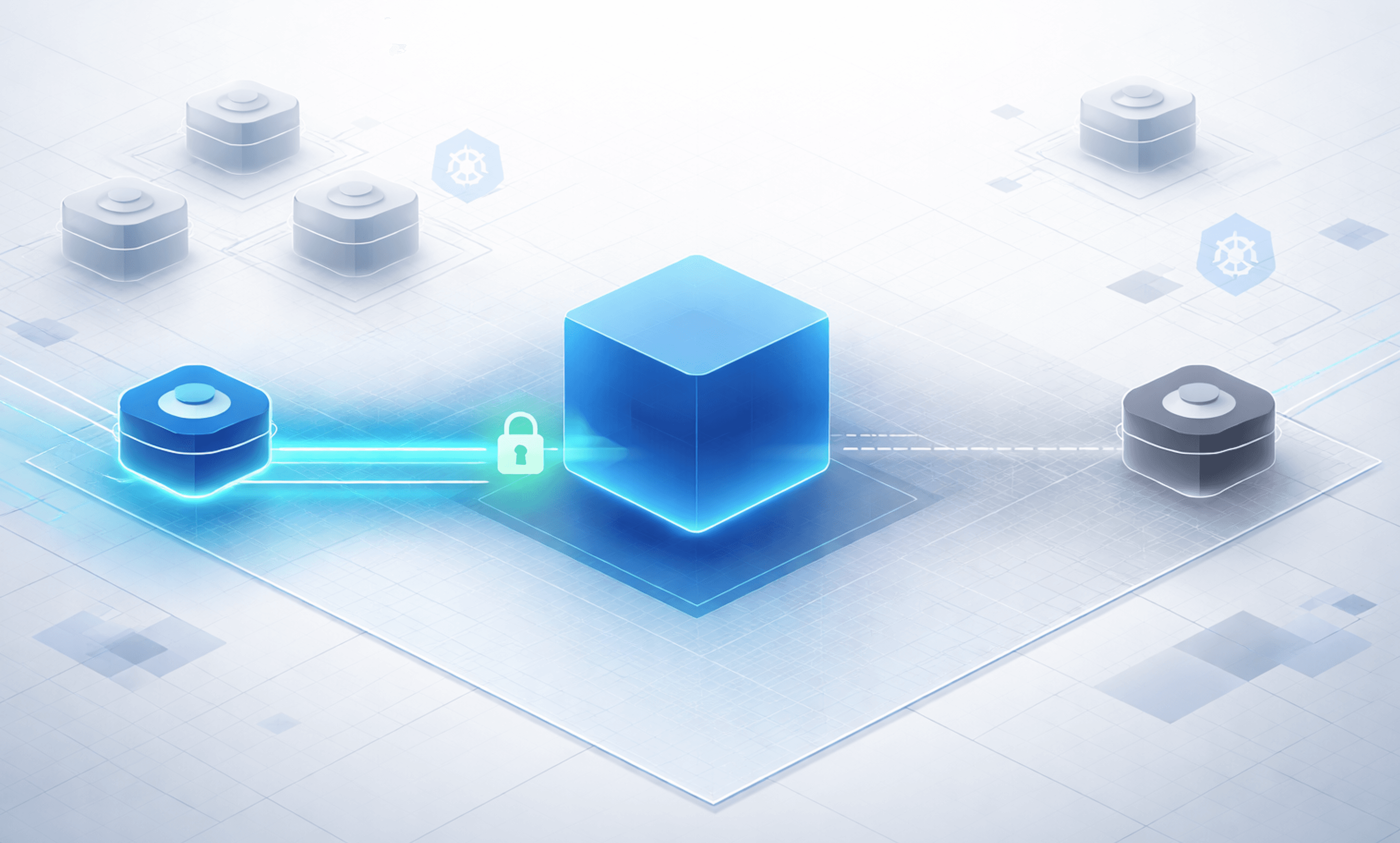
Before adding mTLS, this is what a typical cluster looks like. Traffic is allowed based on network rules, and anything that can connect is implicitly trusted.

Network ≠ Identity
Kubernetes networking controls where traffic can go. It does not control who is making the request.
You can define NetworkPolicies, use Cilium for L3/L7 filtering, and restrict which pods can talk to which services. That’s useful and necessary. But once traffic is allowed, it’s implicitly trusted.
This pattern shows up in a few places in Kubernetes. Things work out of the box because they assume more trust than most people expect. Internal traffic is one of those places.
There is no built-in verification of the caller’s identity. No cryptographic proof. No guarantee that the workload on the other side is what you think it is.
In practice, this means:
if a pod can connect, it’s treated as legitimate
internal services trust whatever can reach them
identity is assumed based on network location
This is the default model out-of-the-box. It works, but it’s fragile. If an attacker lands in a pod that already has network access, they don’t need to bypass anything. They can just use the system as it exists.
Kubernetes networking answers the question: where can traffic go?
It does not answer the more important one: who is actually making the request?
What mTLS Actually Adds
mTLS does two things:
it encrypts traffic between workloads
it gives workloads a verifiable identity
Encryption
With mTLS, traffic between pods is encrypted in transit. This prevents:
plaintext data exposure
credential leakage over the network
basic packet inspection
This is important, but it’s not new nor particularly interesting. Standard TLS already solves this in most external communication.
Identity
The more important change is identity.
With mTLS, both sides of a connection present certificates. These certificates represent the identity of the workload, typically derived from its Kubernetes service account.
Instead of trusting IP addresses, DNS names, and network location, you can now verify who is actually making the request and whether that identity is trusted.
So instead of:
this request came from 10.42.1.7
you get:
this request came from frontend.default.serviceaccount.identity...
That is a fundamentally different model.
What This Means
You are no longer just allowing traffic based on where it comes from. You can make decisions based on who is making the call.
But this is where it’s easy to get it wrong. mTLS proves identity. It does not prove the request should be allowed. A compromised workload with a valid identity will still authenticate successfully. If it is allowed to talk to a service, mTLS will not stop it.
Encryption protects the data. Identity tells you who is calling. Neither tells you if the request makes sense. mTLS changes the communication model between workloads.
Here’s what that looks like in practice:

The Trust Model
At this point, we have workload identity being used for mTLS. The next question is:
where does that identity come from?
mTLS does not magically create identity. It relies on a trust chain built using certificates. This is the chain at a high level and it shouldn't be anything new:
a root certificate authority (trust anchor)
an intermediate issuer
short-lived certificates for each workload
Trust Anchor (Root CA)
The trust anchor is the root of trust for the entire system.
Every workload identity ultimately traces back to this certificate. If a workload presents a certificate that chains to this root, it is considered trusted.
This is the foundation.
Issuer (Intermediate CA)
The issuer is responsible for signing workload certificates.
In practice, this is what your service mesh uses to generate identities for workloads. The issuer is trusted because it is signed by the root CA.
This separation matters because the root stays stable and protected, while the issuer rotates more frequently.
Workload Certificates
Each workload gets a short-lived certificate that represents its identity. In Kubernetes, this identity is typically derived from the service account, which means a certificate might look like:
frontend.default.serviceaccount.identity.linkerd.cluster.local
These certificates are:
automatically issued
short-lived
rotated regularly
They are what enable mutual authentication between workloads.
The Lab
In this lab:
cert-manager is responsible for managing the trust chain
creating the root CA
issuing the intermediate certificate
Linkerd uses that issuer to generate workload identities
each proxy gets a certificate
identities are tied to workloads
the proxies use these certificates to establish mTLS connections
This is what turns a Kubernetes service account into a cryptographic identity that can be verified on the wire.
At this point, we have encrypted communication between workloads and verified identity for both sides of a connection. That is a significant improvement over trusting network location.
Building the Lab
To make this concrete, we’ll build a small environment that mirrors the diagrams.
Our goal is just to have something simple enough to reason about, but realistic enough to show how identity and trust actually behave.
Install cert-manager
Install cert-manager using Helm or manifests.
helm install \
  cert-manager oci://quay.io/jetstack/charts/cert-manager \
  --version v1.20.2 \
  --namespace cert-manager \
  --create-namespace \
  --set crds.enabled=true
Once installed, verify everything is running:
matt@cp:~$ kubectl get pods -n cert-manager
NAME                                       READY   STATUS    RESTARTS   AGE
cert-manager-6c6cd69dc5-h6wfn              1/1     Running   0          7m35s
cert-manager-cainjector-75cbd9fd8d-p5s7w   1/1     Running   0          7m35s
cert-manager-webhook-6868c4c4fc-79v8v      1/1     Running   0          7m35s
Create a Root Certificate Authority
We start by bootstrapping a self-signed issuer. This is only used to generate the root certificate authority. The root CA is the trust anchor for the entire system. Every workload identity will ultimately trace back to this certificate.
selfsigned-bootstrap-issuer.yaml:
apiVersion: cert-manager.io/v1
kind: ClusterIssuer
metadata:
  name: selfsigned-bootstrap
spec:
  selfSigned: {}
Then we create the root certificate itself. This is the certificate that all other identities will be validated against.
linkerd-trust-anchor-cert.yaml:
apiVersion: cert-manager.io/v1
kind: Certificate
metadata:
  name: linkerd-trust-anchor
  namespace: cert-manager
spec:
  isCA: true
  commonName: root.linkerd.cluster.local
  secretName: linkerd-trust-anchor
  duration: 87600h
  renewBefore: 720h
  privateKey:
    algorithm: ECDSA
    size: 256
  issuerRef:
    name: selfsigned-bootstrap
    kind: ClusterIssuer
Apply both resources and verify the secret was created:
matt@cp:~/mtls$ kubectl get secret linkerd-trust-anchor -n cert-manager
NAME                   TYPE                DATA   AGE
linkerd-trust-anchor   kubernetes.io/tls   3      45s
This certificate becomes the trust anchor for the cluster.
Create an Issuer
Next, we create an issuer backed by the root CA. This issuer is what will actually sign certificates in the cluster. Instead of using the root directly, we delegate that responsibility to an intermediate issuer.
This separation matters:
the root remains stable and protected
the issuer can rotate or be replaced without rebuilding trust
linkerd-ca-issuer.yaml:
apiVersion: cert-manager.io/v1
kind: ClusterIssuer
metadata:
  name: linkerd-ca-issuer
spec:
  ca:
    secretName: linkerd-trust-anchor
This issuer will be used to sign workload certificates.
Create the Linkerd Issuer Certificate
Finally, we create the certificate that Linkerd will use to assign identity to workloads. This certificate acts as the signing authority for the mesh. When a workload is started, Linkerd will use this issuer to generate a short-lived certificate tied to that workload.
apiVersion: cert-manager.io/v1
kind: Certificate
metadata:
  name: linkerd-issuer
  namespace: cert-manager
spec:
  isCA: true
  commonName: identity.linkerd.cluster.local
  secretName: linkerd-issuer
  duration: 8760h
  renewBefore: 720h
  privateKey:
    algorithm: ECDSA
    size: 256
  issuerRef:
    name: linkerd-ca-issuer
    kind: ClusterIssuer
Verify everything is ready:
matt@cp:~/mtls$ kubectl get certificates -n cert-manager
kubectl get clusterissuers
NAME                   READY   SECRET                 AGE
linkerd-issuer         True    linkerd-issuer         3m25s
linkerd-trust-anchor   True    linkerd-trust-anchor   6m38s
NAME                   READY   AGE
linkerd-ca-issuer      True    5m3s
selfsigned-bootstrap   True    6m43s
What We Just Built
At this point, we have a working trust chain:
a root CA (trust anchor)
an issuer for signing certificates
a certificate that Linkerd can use to generate workload identities
This maps directly to the model from earlier:
root → issuer → workload certificates
Installing Linkerd
Now that we have a working trust chain, we can install Linkerd and configure it to use our certificates.
Linkerd will use:
the root certificate (trust anchor)
the issuer certificate
the issuer private key
These are used to assign identity to workloads and establish mTLS between them.
We first extract the certificates created by cert-manager:
kubectl get secret linkerd-trust-anchor -n cert-manager -o jsonpath='{.data.tls\.crt}' | base64 -d > ca.crt

kubectl get secret linkerd-issuer -n cert-manager -o jsonpath='{.data.tls\.crt}' | base64 -d > issuer.crt

kubectl get secret linkerd-issuer -n cert-manager -o jsonpath='{.data.tls\.key}' | base64 -d > issuer.key
Then we install the Linkerd CLI and set the path.
export LINKERD2_VERSION=edge-26.4.2
curl --proto '=https' --tlsv1.2 -sSfL https://run.linkerd.io/install-edge | sh
export PATH=\(HOME/.linkerd2/bin:\)PATH
We also need to install Gateway API, but we won't be working directly with that here.
kubectl apply --server-side -f https://github.com/kubernetes-sigs/gateway-api/releases/download/v1.4.0/standard-install.yaml
Then we deploy the Linkerd crds.
linkerd install --crds | kubectl apply -f -
Then we simply install Linkerd using the extracted certificates:
linkerd install \
  --identity-trust-anchors-file ca.crt \
  --identity-issuer-certificate-file issuer.crt \
  --identity-issuer-key-file issuer.key \
  | kubectl apply -f -
Deploying the Application
Now let’s deploy something intentionally minimal.
We are not building a real application here. We are building the smallest possible setup that lets us observe how traffic behaves in Kubernetes before and after mTLS.
The goal is to simply have one workload that makes a request and one workload that receives it. That is enough to answer the only question that matters:
what actually changes when we introduce identity, encryption, and eventually policy?
Your App Stack
api— a basic nginx service that returns a static responseclient— a looped curl workload that continuously calls the API
apiVersion: v1
kind: Namespace
metadata:
  name: trust-demo
---
apiVersion: v1
kind: ConfigMap
metadata:
  name: app-content
  namespace: trust-demo
data:
  api-index.html: |
    api ok
---
apiVersion: apps/v1
kind: Deployment
metadata:
  name: api
  namespace: trust-demo
spec:
  replicas: 1
  selector:
    matchLabels:
      app: api
  template:
    metadata:
      labels:
        app: api
    spec:
      containers:
        - name: api
          image: nginx:stable
          ports:
            - containerPort: 80
          volumeMounts:
            - name: content
              mountPath: /usr/share/nginx/html/index.html
              subPath: api-index.html
      volumes:
        - name: content
          configMap:
            name: app-content
---
apiVersion: v1
kind: Service
metadata:
  name: api
  namespace: trust-demo
spec:
  selector:
    app: api
  ports:
    - port: 80
      targetPort: 80
---
apiVersion: v1
kind: ServiceAccount
metadata:
  name: client
  namespace: trust-demo
---
apiVersion: apps/v1
kind: Deployment
metadata:
  name: client
  namespace: trust-demo
spec:
  replicas: 1
  selector:
    matchLabels:
      app: client
  template:
    metadata:
      labels:
        app: client
    spec:
      serviceAccountName: client
      containers:
        - name: client
          image: curlimages/curl:latest
          command:
            - sh
            - -c
            - |
              while true; do
                echo "client -> $(curl -s api)"
                sleep 10
              done
And apply:
kubectl apply -f app-stack.yaml
That is all at this point.
No mTLS
At this point, the api and client are running, but nothing is using Linkerd yet. There is none of the pain and goodness of sidecars, workload identity, and mTLS. From a networking perspective, this is still just a default Kubernetes cluster.
Test From a Client
We can validate this by calling the services from the client pod:
matt@cp:~/mtls$ kubectl exec -n trust-demo deploy/client -- sh -c 'for i in 1 2 3; do curl -s api; echo; done'
api ok

api ok

api ok
As expected, this succeeds.
What This Shows
This doesn’t show anything particularly interesting; it is the default model in action.
Turning On mTLS
The cluster has a trust chain and a service mesh installed, but the workloads are still using the default model. To enable mTLS, we add the Linkerd proxy to the application pods.
Inject Linkerd
Enable injection on the namespace:
matt@cp:~/mtls$ kubectl annotate namespace trust-demo linkerd.io/inject=enabled
namespace/trust-demo annotated
Restart the workloads so the proxy is added:
matt@cp:~/mtls$ kubectl rollout restart deploy -n trust-demo
deployment.apps/api restarted
deployment.apps/client restarted
Verify Sidecars
Once the pods restart, check the containers:
kubectl get pods -n trust-demo -o jsonpath='{range .items[*]}{.metadata.name}{" => "}{.spec.containers[*].name}{"\n"}{end}'
Example output:
api-78598898b6-lwtvw => linkerd-proxy api
client-6478fd6756-fhb6h => linkerd-proxy client
You now see linkerd-proxy alongside each application container. Both workloads are part of the mesh.
Add an Unmeshed Client
Since injection is enabled at the namespace level, all new workloads are meshed by default.
To demonstrate the difference, we explicitly deploy a client without Linkerd via a simple annotation in the pod metadata:
apiVersion: v1
kind: Pod
metadata:
  name: unmeshed-client
  namespace: trust-demo
  annotations:
    linkerd.io/inject: disabled
spec:
  restartPolicy: Never
  containers:
    - name: client
      image: curlimages/curl:latest
      command: ["sh", "-c", "sleep 36000"]
Apply it:
kubectl apply -f unmeshed-client.yaml
Verify Traffic Behavior
Test from both clients.
Meshed client:
matt@cp:~/mtls$ kubectl exec -n trust-demo deploy/client -- curl -s api
Defaulted container "linkerd-proxy" out of: linkerd-proxy, client, linkerd-init (init)
error: Internal error occurred: Internal error occurred: error executing command in container: failed to exec in container: failed to start exec "550d96e7ce3e6140382bde1fd79c28b7e89ddd813f62f8120e930488f452305a": OCI runtime exec failed: exec failed: unable to start container process: exec: "curl": executable file not found in $PATH
Ok that was unexpected, but also expected once you see why.
Once Linkerd is injected, your pod is no longer just your application. It now includes multiple containers, and kubectl exec defaults to the first one, which in this case is linkerd-proxy.
That container is not your app, and it does not have tools like curl, so the command fails.
Run the same command against the actual application container:
matt@cp:~/mtls$ kubectl exec -n trust-demo deploy/client -c client -- curl -s api
api ok
This works as expected.
This is a small but important shift. The mesh is not modifying your application directly, it is adding infrastructure alongside it. That changes how traffic is handled, and occasionally how you interact with the pod.
Unmeshed client:
matt@cp:~/mtls$ kubectl exec -n trust-demo unmeshed-client -- curl -s api
api ok
Both requests succeed. That is the important part: nothing breaks just by enabling mTLS.
Observe mTLS in Action
Install the Linkerd viz extension if needed:
linkerd viz install | kubectl apply -f -
linkerd viz check
Now watch live traffic:
linkerd viz tap deploy/api -n trust-demo
Fire off some requests. Example output:
req id=1:1 proxy=in  src=10.241.242.124:37262 dst=10.241.242.113:80 tls=true :method=GET :authority=api :path=/
rsp id=1:1 proxy=in  src=10.241.242.124:37262 dst=10.241.242.113:80 tls=true :status=200 latency=826µs
end id=1:1 proxy=in  src=10.241.242.124:37262 dst=10.241.242.113:80 tls=true duration=99µs response-length=0B
req id=1:2 proxy=in  src=10.241.242.117:46424 dst=10.241.242.113:80 tls=no_tls_from_remote :method=GET :authority=api :path=/
rsp id=1:2 proxy=in  src=10.241.242.117:46424 dst=10.241.242.113:80 tls=no_tls_from_remote :status=200 latency=875µs
end id=1:2 proxy=in  src=10.241.242.117:46424 dst=10.241.242.113:80 tls=no_tls_from_remote duration=27µs response-length=0B
tls=true→ traffic from meshed workloads (encrypted + identity)tls=no_tls_from_remote→ traffic from unmeshed workloads (plain, no identity)
What Actually Changed
The application behavior did not change. Both clients can still reach the API.
But with a dead simple setup of Linkerd, we changed how the connection is handled:
Meshed traffic is encrypted and carries a verifiable workload identity
Unmeshed traffic is still allowed, but has no identity and no encryption
mTLS introduces identity and encryption, but it does not enforce who is allowed to talk.
Enforce Authenticated Traffic
So far, nothing has been blocked. Both the meshed client and the unmeshed-client can still reach the API. The difference is only visible in how the connection is handled, not whether it is allowed.
Now we change that. We will enforce that only authenticated, meshed workloads can talk to the API.
Define a Protected Server
First, we tell Linkerd which port on the api workload we want to protect:
apiVersion: policy.linkerd.io/v1beta3
kind: Server
metadata:
  name: api
  namespace: trust-demo
spec:
  podSelector:
    matchLabels:
      app: api
  port: 80
  proxyProtocol: HTTP/1
This creates a policy boundary around the API's port 80.
Define Allowed Identity
Next, we define which workload identity is allowed to connect. In this case, only the client:
apiVersion: policy.linkerd.io/v1alpha1
kind: MeshTLSAuthentication
metadata:
  name: client-only
  namespace: trust-demo
spec:
  identities:
    - client.trust-demo.serviceaccount.identity.linkerd.cluster.local
This represents the authenticated identity of the client workload.
Bind Identity to the Server
Now we tie it together:
apiVersion: policy.linkerd.io/v1alpha1
kind: AuthorizationPolicy
metadata:
  name: api-policy
  namespace: trust-demo
spec:
  targetRef:
    group: policy.linkerd.io
    kind: Server
    name: api
  requiredAuthenticationRefs:
    - group: policy.linkerd.io
      kind: MeshTLSAuthentication
      name: client-only
This says: Only requests with a valid Linkerd identity matching client are allowed to access the API.
Apply all three:
kubectl apply -f api-policy.yaml
Test Enforcement
Meshed client:
kubectl exec -n trust-demo deploy/client -c client -- curl -s api
Expected:
api ok
Unmeshed client:
kubectl exec -n trust-demo unmeshed-client -- curl -s api
Expected:
Request fails. Either satisfying or mildly annoying, depending on your expectations.
Observe the Difference
Watch traffic again:
linkerd viz tap deploy/api -n trust-demo
Now you should only see:
... tls=true
Unmeshed traffic is no longer accepted.
What Changed
This is the payoff.
Before we saw mTLS provide identity and encryption, yet all traffic was still allowed. Now we see identity is required, and only authenticated workloads are allowed
This is where mTLS becomes enforcement. It is not just secure transport anymore. It is the foundation for access control.
Wrap Up
Initially, everything in the cluster worked because the network allowed it, and that was the only rule that mattered. There was no identity attached to requests, no encryption by default, and no way to differentiate between a legitimate caller and anything else that could reach the service.
When mTLS was introduced, nothing visibly broke, which is often where people get confused. The same requests still succeeded, but they now carried identity and were encrypted in transit. The system gained context about who was calling, even though it was not yet using that information to make decisions.
That changes once policy is enforced. At that point, identity is no longer optional. Requests must prove who they are, and only workloads with a valid, trusted identity are allowed to communicate. Everything else is rejected, not because the network path disappeared, but because the caller cannot be authenticated.
This is the real shift. Kubernetes networking determines whether a connection is possible, mTLS establishes who is making the request, and policy determines whether that request should be allowed to proceed. You need all three working together to move from connectivity to control.
This example keeps things intentionally simple, because real-world meshing is anything but. Running a service mesh in production introduces tradeoffs around complexity, visibility, and operational overhead that are easy to underestimate. The goal here was to make the mechanics clear first. From here, we will zoom out and look at the bigger picture, where these concepts meet the realities of actual systems.