
Seccomp in Kubernetes
From Pod Spec to Syscall Boundary

Working as a solutions architect while going deep on Kubernetes security — prevention-first thinking, open source tooling, and a daily rabbit hole of hands-on learning. I make the mistakes, then figure out how to fix them (eventually).
In Part 1, we stayed close to the kernel.
We watched a process call uname(), attach a seccomp filter, and then get shut down at the syscall boundary. No permissions debate. No LSM policy. No capability check. The kernel simply said: that syscall does not exist for you anymore.
Clean. Brutal.
But what about the Kubernetes part? You're probably already running seccomp.
Not because you enabled it. Not because you wrote a profile. And definitely not because you tuned it.
You're running it because your container runtime turned it on for you. When a container starts, the application doesn’t install a seccomp filter. The container runtime does. Docker, containerd, etc. attach a default profile before your code ever runs. Kubernetes doesn’t enforce syscalls. It simply tells the runtime which profile to use. The actual enforcement still happens at the same kernel boundary we saw in Part 1. And once seccomp moves from "toy C demo" to "running cluster," the questions change.
Not the stuff we know:
What is a syscall?
How does BPF work?
But:
What profile is actually active on my pods?
What does it allow?
And what happens if I turn it off?
That’s where we’re going.
Orientation Diagram
Keep this diagram in mind.
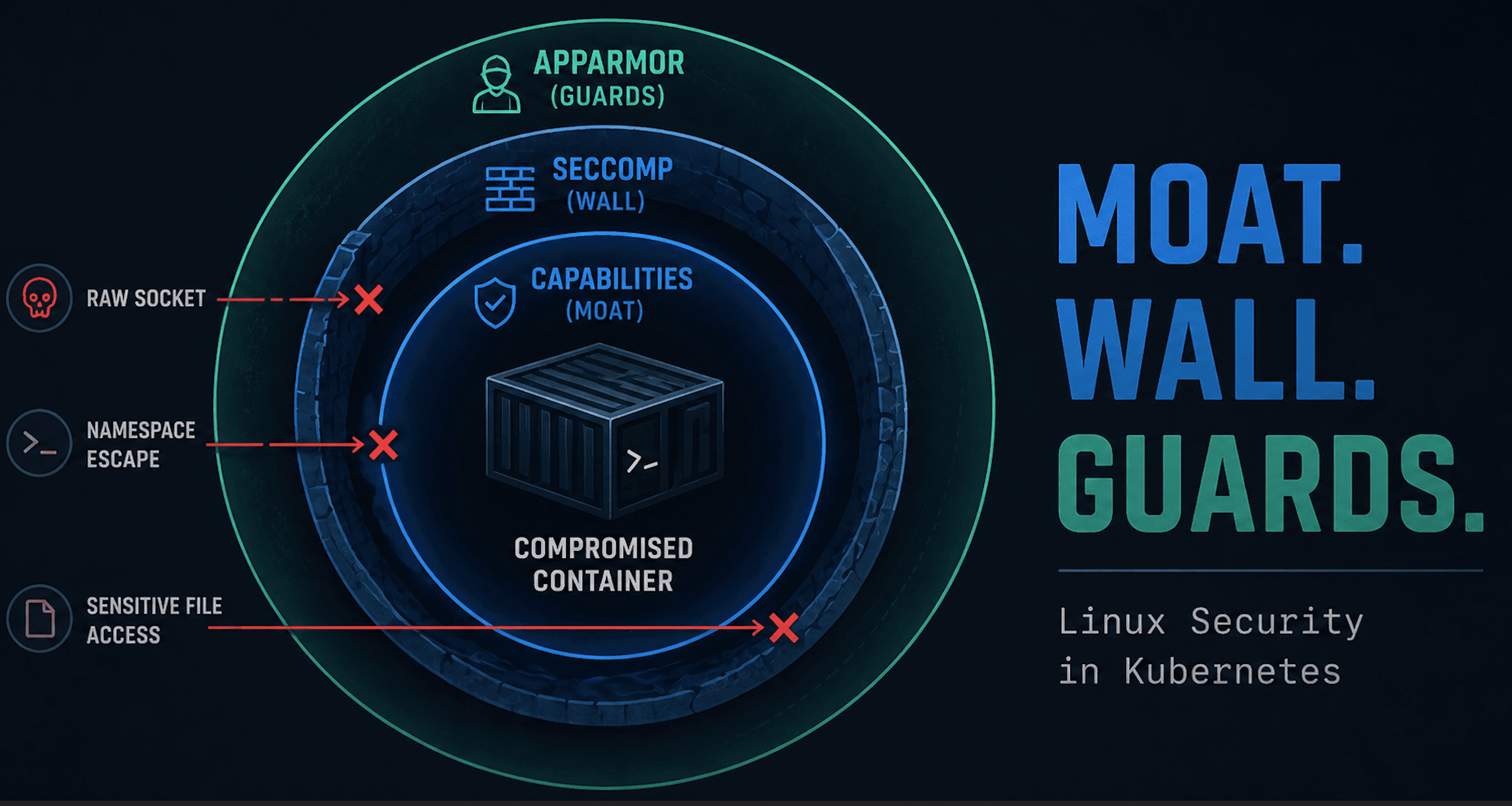
Everything in this post is about how a seccomp profile defined in a Pod spec ends up enforced inside the kernel. Kubernetes selects the profile. The container runtime attaches it. The kernel evaluates every syscall against it.
The enforcement point hasn’t moved. It’s still the syscall boundary we explored in Part 1. What’s changed is the plumbing that decides which filter gets there.

The Most Common Case: Nothing Configured
In many clusters, pods don’t specify a seccomp profile at all.
The pod spec is silent.
apiVersion: apps/v1
kind: Deployment
metadata:
  name: no-seccomp
spec:
  replicas: 1
  selector:
    matchLabels:
      app: no-seccomp
  template:
    metadata:
      labels:
        app: no-seccomp
    spec:
      containers:
        - name: nginx
          image: nginx
It’s simply not present. So what happens? It will run completely unconfined. Create this deployment and check inside the container.
matt@cp:~/seccomp$ kubectl exec no-seccomp-75d54c6445-s7ln8 -- grep Seccomp /proc/1/status
Seccomp:    0
Seccomp_filters:    0
We can see Seccomp: 0, which of course means no seccomp.
A Simple Way to See Seccomp in Action
One syscall commonly blocked by the runtime’s default seccomp profile is keyctl.
keyctl interacts with the Linux kernel keyring subsystem. Most containers don’t need to manage kernel keyrings, so the default profile blocks it as unnecessary attack surface.
If you’re using the basic Nginx image, you can install a small test tool:
matt@cp:~$ kubectl exec -it no-seccomp-75d54c6445-s7ln8 -- /bin/bash
root@no-seccomp-75d54c6445-s7ln8:/# apt-get update && apt-get install -y keyutils
Then run:
root@no-seccomp-75d54c6445-s7ln8:/# keyctl show
Session Keyring
 857262715 --alswrv      0     0  keyring: ...
As we would expect.
Now why this example? The kernel keyring subsystem stores sensitive material such as session keys. Direct interaction with kernel-managed key storage is not something typical application containers need.
From an attacker’s perspective, however, kernel keyrings can become part of privesc and more.
Blocking keyctl removes that entire class of risk (sound familiar?). That’s the core idea behind seccomp: if the workload doesn’t need it, the syscall doesn’t exist.
RuntimeDefault: Making the Baseline Explicit
Instead of relying on cluster defaults (aka nothing), you can declare your intent directly. Let's give it a shot in a new deployment.
apiVersion: apps/v1
kind: Deployment
metadata:
  name: yes-seccomp
spec:
  replicas: 1
  selector:
    matchLabels:
      app: yes-seccomp
  template:
    metadata:
      labels:
        app: yes-seccomp
    spec:
      containers:
        - name: nginx
          image: nginx
          imagePullPolicy: IfNotPresent
          securityContext:
            seccompProfile:
              type: RuntimeDefault
This tells Kubernetes to use the default seccomp profile provided by the container runtime. The runtime attaches that profile before the container process starts. The kernel enforces it on every syscall. Just a filter at the syscall boundary.
Let's run the same exercise as before.
matt@cp:~$ kubectl exec -it yes-seccomp-75d54c6445-s7ln8 -- /bin/bash
root@no-seccomp-75d54c6445-s7ln8:/# apt-get update && apt-get install -y keyutils
Then run:
root@no-seccomp-75d54c6445-s7ln8:/# keyctl show
Session Keyring
Unable to dump key: Operation not permitted
Voila, syscall filtering at is finest. But what exactly is that filter?
The Actual RuntimeDefault Profile
If you want to see what RuntimeDefault really means on your node (and why wouldn't you?), inspect the OCI runtime spec the container runtime handed to runc.
First, list running containers and grab a container ID:
matt@cp:~/seccomp$ sudo crictl ps | grep yes-seccomp
...
d7ebc42cadd5f       2af158aaca82b       14 minutes ago      Running             nginx                       0                   e3aa4f4782108       yes-seccomp-796856b464-hqq44               default
Now inspect the container and extract the exact seccomp configuration from the runtime spec:
matt@cp:~/seccomp$ sudo crictl inspect d7ebc42cadd5f | jq '.info.runtimeSpec.linux.seccomp'
If seccomp is enabled, you’ll see something like:
{
  "architectures": [
    "SCMP_ARCH_ARM",
    "SCMP_ARCH_AARCH64"
  ],
  "defaultAction": "SCMP_ACT_ERRNO",
  "syscalls": [
    {
      "action": "SCMP_ACT_ALLOW",
      "names": [
        "accept",
        "accept4",
...
          "op": "SCMP_CMP_MASKED_EQ",
          "value": 2114060288
        }
      ],
      "names": [
        "clone"
      ]
    },
    {
      "action": "SCMP_ACT_ERRNO",
      "errnoRet": 38,
      "names": [
        "clone3"
      ]
    }
  ]
}
This is the actual seccomp profile applied to the container. And it is easy to see what is explicitly allowed by looking at the names of syscalls under SCMP_ACT_ALLOW.
And if you actually want to see how many syscalls are allowed, it is easy to take a look.
matt@cp:~/seccomp$ sudo crictl inspect d7ebc42cadd5f | jq '
  .info.runtimeSpec.linux.seccomp.syscalls
  | map(.names) | add
  | unique
  | length
'
...
377
Unconfined and Privileged
RuntimeDefault is a baseline. But it’s not guaranteed. In Kubernetes, seccomp can be explicitly disabled:
securityContext:
  seccompProfile:
    type: Unconfined
That tells the runtime not to attach a seccomp filter at all. When that happens, the container process runs with full access to the kernel’s syscall surface (subject to capabilities and LSMs, but without syscall filtering).
Adjust the deployment with this new securityContext and you can verify it the same way as before:
matt@cp:~/seccomp$ kubectl exec unconfined-seccomp-6489c66986-vslvv -- grep Seccomp /proc/1/status
Seccomp:    0
Seccomp_filters:    0
There’s another common way seccomp effectively disappears: privileged containers. When a container runs privileged, it is granted elevated access to the host.
securityContext:
  privileged: true
  seccompProfile:
    type: RuntimeDefault
Adjust the deployment with this new securityContext and you can verify it the same way as before:
matt@cp:~/seccomp$ kubectl exec priv-seccomp-57778f5d79-zdm9x -- grep Seccomp /proc/1/status
Seccomp:    0
Seccomp_filters:    0
As you can see, privileged wiped out the intent of the seccompProfile. User beware.
Making Seccomp the Default (kubeadm)
Declaring RuntimeDefault in every pod spec works. But there's another way! You can read it in the CIS Kubernetes Benchmark under 4.2.14.
Modern Kubernetes supports making the runtime’s default seccomp profile the automatic baseline for all pods that don’t explicitly specify one. On kubeadm clusters, this is controlled by the kubelet.
You want:
seccompDefault: true
You can verify whether it’s enabled on a node:
kubectl proxy &
curl -s http://127.0.0.1:8001/api/v1/nodes/<node-name>/proxy/configz   | jq '.kubeletconfig.seccompDefault'
If it returns true, pods without an explicit seccompProfile will automatically run under the runtime’s default profile.
If it’s false, a pod that doesn’t declare seccomp may run completely unconfined.
To enable it in kubeadm, update your KubeletConfiguration, which should be in var/lib/kubelet/config.yaml. Simply add the default setting.
seccompDefault: true
Then apply the configuration and restart the kubelet. With seccompDefault: true, RuntimeDefault becomes the cluster-wide baseline instead of an opt-in setting. Not too bad.
Wrap Up
It’s tempting to treat RuntimeDefault as some kind of security panacea, but of course it isn't.
The runtime’s default seccomp profile is designed to be broadly compatible. It allows hundreds of syscalls because most applications need them.
What it blocks are the obvious outliers like kernel keyring manipulation (bet you didn't think I would go there). That’s valuable. It reduces attack surface. But it does not create tight isolation.
If your application only needs 80 syscalls, and the runtime allows 377, you’re still exposing far more kernel surface than strictly necessary.
RuntimeDefault is a baseline hygiene control.
It says:
“We’re not going to allow clearly dangerous or unnecessary syscalls.”
It does not say:
“This workload has a minimal, workload-specific syscall surface.”
For many teams, RuntimeDefault is the right tradeoff. It’s low friction, broadly safe, and rarely breaks applications. But it’s not a sandbox. It’s a compatibility-first safety net.