
Bubble Wrap for Containers
gVisor in Kubernetes
Working as a solutions architect while going deep on Kubernetes security — prevention-first thinking, open source tooling, and a daily rabbit hole of hands-on learning. I make the mistakes, then figure out how to fix them (eventually).
Kubernetes makes it easy to forget what’s really running underneath. You write a Deployment, set a few limits, and let the control plane take it from there. But once that Pod lands on a node, it’s no longer YAML — it’s syscalls hitting the kernel.
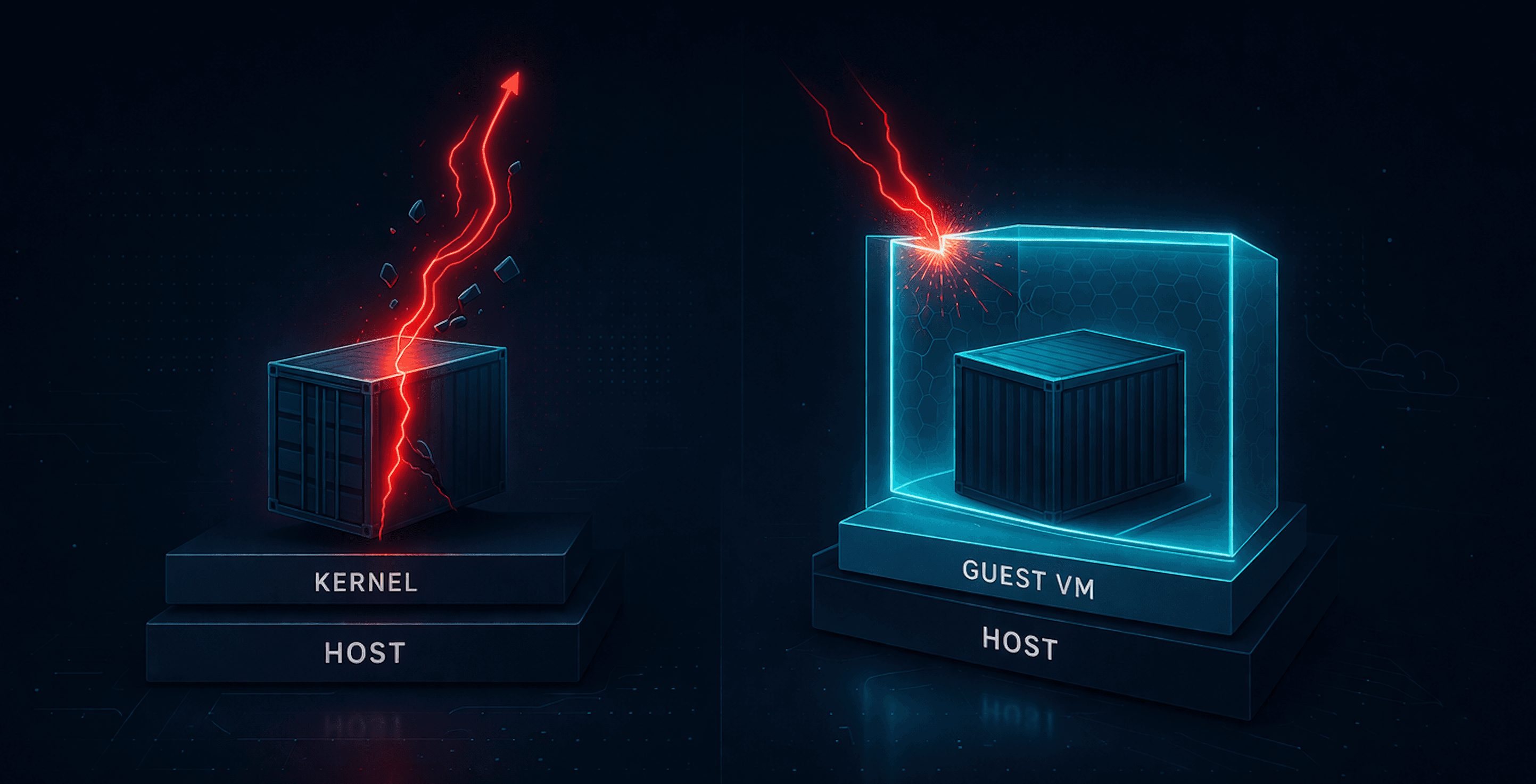
Containers aren’t magic sandboxes; they’re just processes sharing the same kernel with a light dusting of isolation. That’s fine for speed, but it’s also why “container escapes” can show up (yes, back to my container escape obsession). They’re not exploits so much as reminders that namespaces aren’t armor.
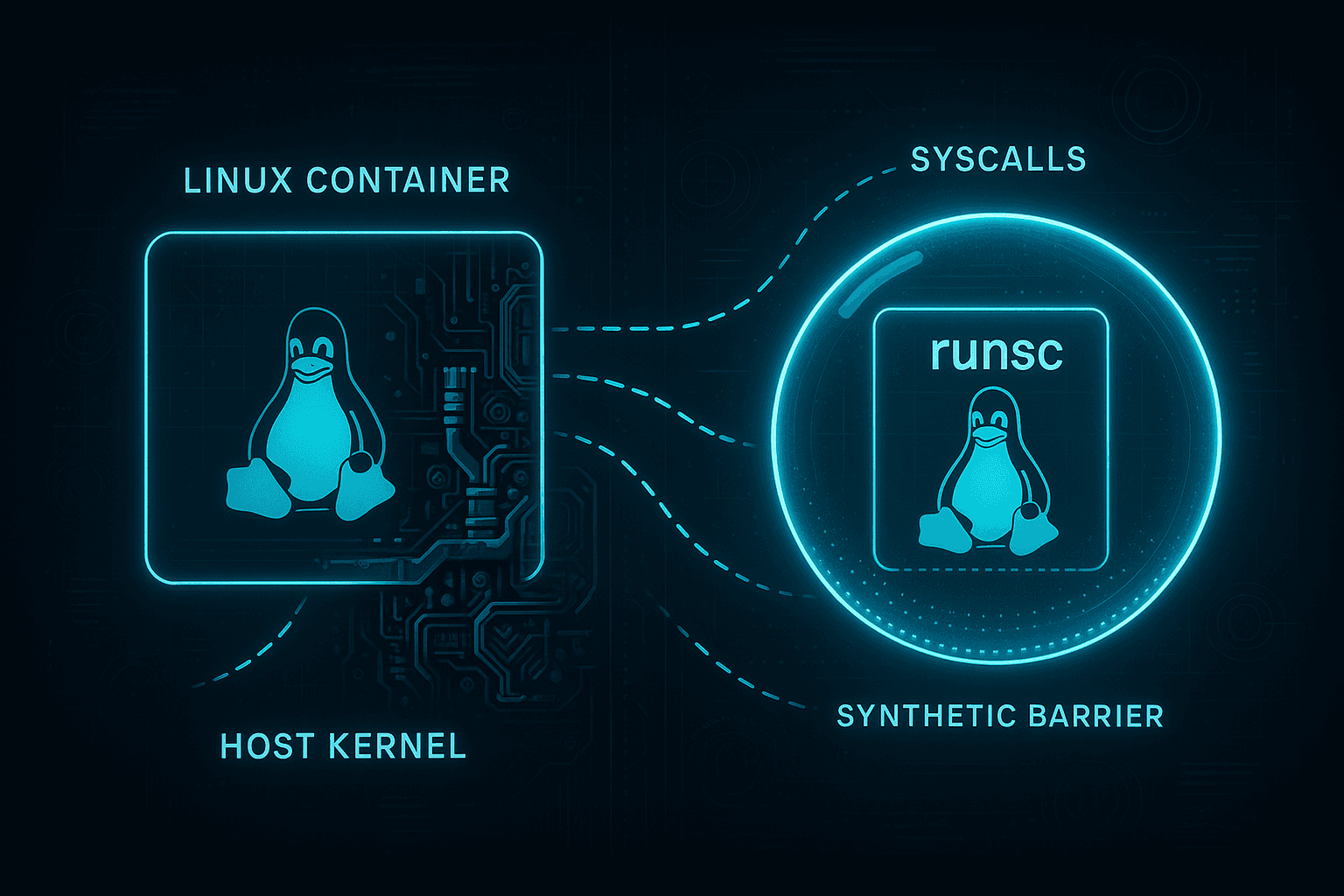
Enter gVisor, Google’s user-space kernel that intercepts syscalls before they ever reach the host. Instead of trusting the Linux kernel to stay polite, gVisor runs your workload inside its own miniature kernel, enforcing isolation at the syscall boundary.
It sits somewhere between runc and a full-blown VM: fast enough to stay in the Kubernetes loop, but restrictive enough to squash most escape paths.
gVisor isn’t new, but it’s worth a burrito look—what it takes to install, where it shines, where it hurts, and why your favorite nsenter trick suddenly stops working.
Installing gVisor on Ubuntu (ARM)
I’m running this on my usual Mac setup: an Ubuntu ARM VM (Apple Silicon under the hood) with a kubeadm cluster using containerd as the runtime. Running something else should be fairly similar.
The plan:
- Install the gVisor binaries (
runscand the containerd shim). - Tell
containerdabout the new runtime. - Restart
containerdand sanity-check.
Do this on every node that will run gVisor-protected workloads.
0. Quick sanity checks
Make sure you’re on ARM64 and using containerd:
uname -m
containerd --version
1. Install the gVisor binaries
curl -fsSL https://gvisor.dev/archive.key | sudo gpg --dearmor -o /usr/share/keyrings/gvisor.gpg
echo "deb [signed-by=/usr/share/keyrings/gvisor.gpg] https://storage.googleapis.com/gvisor/releases release main" | sudo tee /etc/apt/sources.list.d/gvisor.list
sudo apt update
sudo apt install -y runsc gvisor-containerd-shim
Validate:
runsc --version
2. Wire gVisor into containerd
Create or edit config.toml:
cat <<EOF | sudo tee /etc/containerd/config.toml
version = 2
[plugins."io.containerd.runtime.v1.linux"]
  shim_debug = true
[plugins."io.containerd.grpc.v1.cri".containerd.runtimes.runc]
  runtime_type = "io.containerd.runc.v2"
[plugins."io.containerd.grpc.v1.cri".containerd.runtimes.runsc]
  runtime_type = "io.containerd.runsc.v1"
EOF
Restart containerd:
sudo systemctl restart containerd
Running Kubernetes Pods with gVisor
Start by creating a RuntimeClass:
apiVersion: node.k8s.io/v1
kind: RuntimeClass
metadata:
  name: gvisor
handler: runsc
Apply:
kubectl apply -f runtimeclass-gvisor.yaml
Now run a test pod:
apiVersion: v1
kind: Pod
metadata:
  name: gvisor-test
spec:
  runtimeClassName: gvisor
  containers:
    - name: ubuntu
      image: ubuntu:22.04
      command: ["bash", "-c", "sleep 36000"]
Apply and verify:
kubectl apply -f gvisor-test.yaml
kubectl get pod
Get the container ID and confirm it’s using gVisor:
CID=$(kubectl get pod gvisor-test -o jsonpath='{.status.containerStatuses[0].containerID}' | sed 's#containerd://##')
sudo runsc --root /run/containerd/runsc/k8s.io list | grep $CID
gVisor vs runc Deep Dive
Instead of starting with theory, we’re going to follow the Burrito Way™: look at what actually happens first, then decide what we think. Two Ubuntu containers, same image, same command, same cluster:
- one using
runc - one using
runsc
The differences show you far more about gVisor’s philosophy than any diagram.
Each section includes:
- test commands
- what you should observe
- and what it actually means
Test Setup: Ubuntu Pods (gVisor vs runc)
Baseline (runc)
apiVersion: v1
kind: Pod
metadata:
  name: nogvisor-test
spec:
  containers:
    - name: ubuntu
      image: ubuntu:22.04
      command: ["/bin/bash", "-c", "sleep 3600"]
gVisor
apiVersion: v1
kind: Pod
metadata:
  name: gvisor-test
spec:
  runtimeClassName: gvisor
  containers:
    - name: ubuntu
      image: ubuntu:22.04
      command: ["/bin/bash", "-c", "sleep 3600"]
Process Visibility (Inside the Container)
Commands
runc
kubectl exec -it nogvisor-test -- bash
ps aux
gVisor
kubectl exec -it gvisor-test -- bash
ps aux
Expected
- runc: PID 1 (
sleep), bash, ps - gVisor: PID 1 (
sleep), bash, ps - TTY differs:
- runc →
pts/0 - gVisor →
?
- runc →
Assessment
Inside the container, gVisor looks almost identical to runc. PID namespaces behave the same. That’s the trick: gVisor changes the kernel boundary, not the container environment. From the inside, nothing looks strange.
Process Visibility (From the Host)
Commands
Check for runc container process:
ps aux | grep sleep
Check for gVisor process wrappers:
ps aux | grep runsc
Expected
- runc: host sees
sleep 3600as a real process - gVisor: host sees
runsc-sandbox,runsc-gofer, etc.
Assessment
This is where the façade cracks. With runc, containers are just host processes. With gVisor, your workload runs inside a userspace kernel, not directly on the host. This is the clearest indicator that gVisor is more than “runc but safer.”
TTY Behavior
Command
ps aux
Expected
- runc:
TTY = pts/0 - gVisor:
TTY = ?
Assessment
TTYs behave differently because gVisor doesn’t map container PTYs to real host pseudo-terminals. You’re talking to a virtualized console layer.
/proc Virtualization
Commands
cat /proc/modules | grep tcp_diag
Expected
- runc: shows real kernel modules (matching host)
- gVisor: empty or missing
Assessment
Under gVisor, /proc is synthetic. runsc generates a fake procfs, so nothing from the real kernel leaks through. Kernel modules, device info, and other structural details disappear entirely. This is strong proof that syscalls never reach the kernel directly.
Capabilities
Command
grep Cap /proc/self/status
Expected
runc:
CapEff: 00000000a80425fb
gVisor:
CapEff: 00000000a80405fb
Assessment
The masks look nearly identical, but they don’t mean the same thing.
- In runc, capability bits map to real (namespaced) kernel capabilities.
- In gVisor, the bits are synthetic values exposed by
runscso applications don't break.
Even if CAP_SYS_ADMIN shows up in the mask, the underlying syscalls never reach the host.
The permissions appear real, but the power behind them isn’t.
Syscall Behavior (strace)
Note: you need to install
straceinside the container.
Commands
apt update && apt install -y strace
strace ls
Expected
- runc:
execve("/usr/bin/ls", ["ls"], ...) - gVisor:
execve(0xffffffffffffffda, ["ls"], ...)
Assessment
On the host and in runc, execve shows a real path because the syscall goes directly into the host kernel.
gVisor shows a sentinel hex value instead of a path. That’s runsc intercepting the syscall before it reaches the kernel. The rest of the call trace often looks similar because gVisor emulates most of Linux’s syscall surface — but it’s emulation, not the real thing.
Filesystem & Mount Behavior
Commands
mount -t proc proc /mnt
touch /proc/sys/kernel/randomize_va_space
Expected
- runc:
mount: /mnt: cannot mount proc read-only. - gVisor:
mount: /mnt: permission denied.
Assessment
Both runtimes reject the mount, but for completely different reasons:
- In runc, the real kernel enforces container restrictions (read-only proc, etc.).
- In gVisor, runsc denies the syscall immediately, before the kernel even sees it.
This highlights the fundamental boundary difference:
runc relies on the kernel’s own namespace model, while gVisor implements mount and filesystem semantics in userspace.
Simulating a Classic Container Escape (runc vs gVisor)
This is the last container escape demo. (Until the next one.)
runc Escape (Ubuntu Node)
Save as escape.yaml:
apiVersion: v1
kind: Pod
metadata:
  name: escape
  labels:
    app: escape
spec:
  hostPID: true
  containers:
    - name: escape
      image: nicolaka/netshoot:latest
      command: ["sleep", "3600"]
      securityContext:
        privileged: true
      volumeMounts:
        - name: host-root
          mountPath: /host
  volumes:
    - name: host-root
      hostPath:
        path: /
        type: Directory
  restartPolicy: Never
Apply and exec:
kubectl apply -f escape.yaml
kubectl exec -it escape -- bash
Escape to the host:
nsenter --target 1 --mount --uts --ipc --net --pid
You now land directly on the host:
uname
whoami
cat /etc/os-release
Trying the Same Escape Under gVisor
Now use the same pod spec, but with gVisor:
apiVersion: v1
kind: Pod
metadata:
  name: gvisor-escape
  labels:
    app: gvisor-escape
spec:
  hostPID: true
  runtimeClassName: gvisor
  containers:
    - name: escape
      image: ubuntu:22.04
      command: ["/bin/bash", "-c", "sleep 3600"]
      securityContext:
        privileged: true
      volumeMounts:
        - name: host-root
          mountPath: /host
  volumes:
    - name: host-root
      hostPath:
        path: /
        type: Directory
  restartPolicy: Never
Exec in:
kubectl exec -it gvisor-escape -- bash
ps aux
PID 1 here is just the /pause infrastructure container.
Attempt the escape:
nsenter --target 1 --mount --uts --ipc --net --pid
# nsenter: failed to execute /bin/sh: No such file or directory
This drops you into the infra container’s namespaces — not the host — and the infra container has no shell.
Trying to pivot to your own namespace:
nsenter --target 3 --mount --uts --ipc --net --pid -- ls /
# works, but just shows your same container root

nsenter --target 3 --mount --uts --ipc --net --pid
# no visible change — you're already there
Nothing interesting happens because:
- gVisor mediates all namespaces
/procis virtualized- escape pivots that rely on host namespaces simply don’t exist
Same YAML. Very different outcome.
runc → host access.
gVisor → sandbox stays a sandbox.
Wrapping Up
Kubernetes makes containers feel tidy and predictable. YAML goes in, Pods come out, and somewhere in between the scheduler pretends it’s your friend. But once a container starts running, every security guarantee boils down to one question:
Who actually handles your syscalls?
With runc, the answer is: the host kernel.
Great for performance, great for density, and great for escape demos.With gVisor, the answer becomes: a userspace kernel you don’t control from inside the container.
Syscalls stop inside runsc,/procbecomes synthetic, capabilities lose their teeth, mounts break differently, and classic escape tricks likensenter --target 1simply stop working because the host kernel never sees the request.
That’s the gVisor mindset: keep Kubernetes fast, but stop trusting the kernel as a security boundary.
Is gVisor a silver bullet? No. But it genuinely changes the attack surface without requiring VMs or a massive architectural overhaul. That makes it worth understanding.
I’ll revisit this later to look at additional examples (and the very real performance hit), but that’s it for now.