
Service Boundaries: Scaling with Calico
A Guide to Global Defaults and Flow Logging in Calico
Working as a solutions architect while going deep on Kubernetes security — prevention-first thinking, open source tooling, and a daily rabbit hole of hands-on learning. I make the mistakes, then figure out how to fix them (eventually).
In Part 1 we took Kubernetes from “wide open by default” to a clean three-hop app chain. With a handful of NetworkPolicy manifests we locked the cluster down to just the flows the app actually needs: frontend → backend → database, plus DNS. Everything else? Nuke it.
That’s definitely a good start. But here’s the catch (always with the catch): what happens when you’re running a host of namespaces and services? Copy-pasting the same default-deny and DNS carve-outs everywhere doesn’t scale. Neither does sprinkling external CIDRs into random policies every time something needs to call an outside system.
This is where Calico steps in. It takes the same NetworkPolicy model you already know (and now love) and adds the missing pieces for real-world operations:
Global guardrails so you can enforce a cluster-wide baseline once.
Flow logs so you can actually see what’s being allowed and denied.
In other words, Calico isn’t a replacement for NetworkPolicy — it’s the natural next layer. It lets you move from blog-sized policies to real boundaries without drowning in YAML.
What the Hell Is Calico?
If you’ve been around Kubernetes for five minutes, you’ve probably seen the name Calico. For me, it started as the dead-simple CNI for my local kubeadm clusters: just wire up pod networking and get on with life. But as I dug deeper into NetworkPolicy, I noticed Calico showing up again. This time not just as plumbing, but as an add-on for security and visibility. So… what's the real deal?
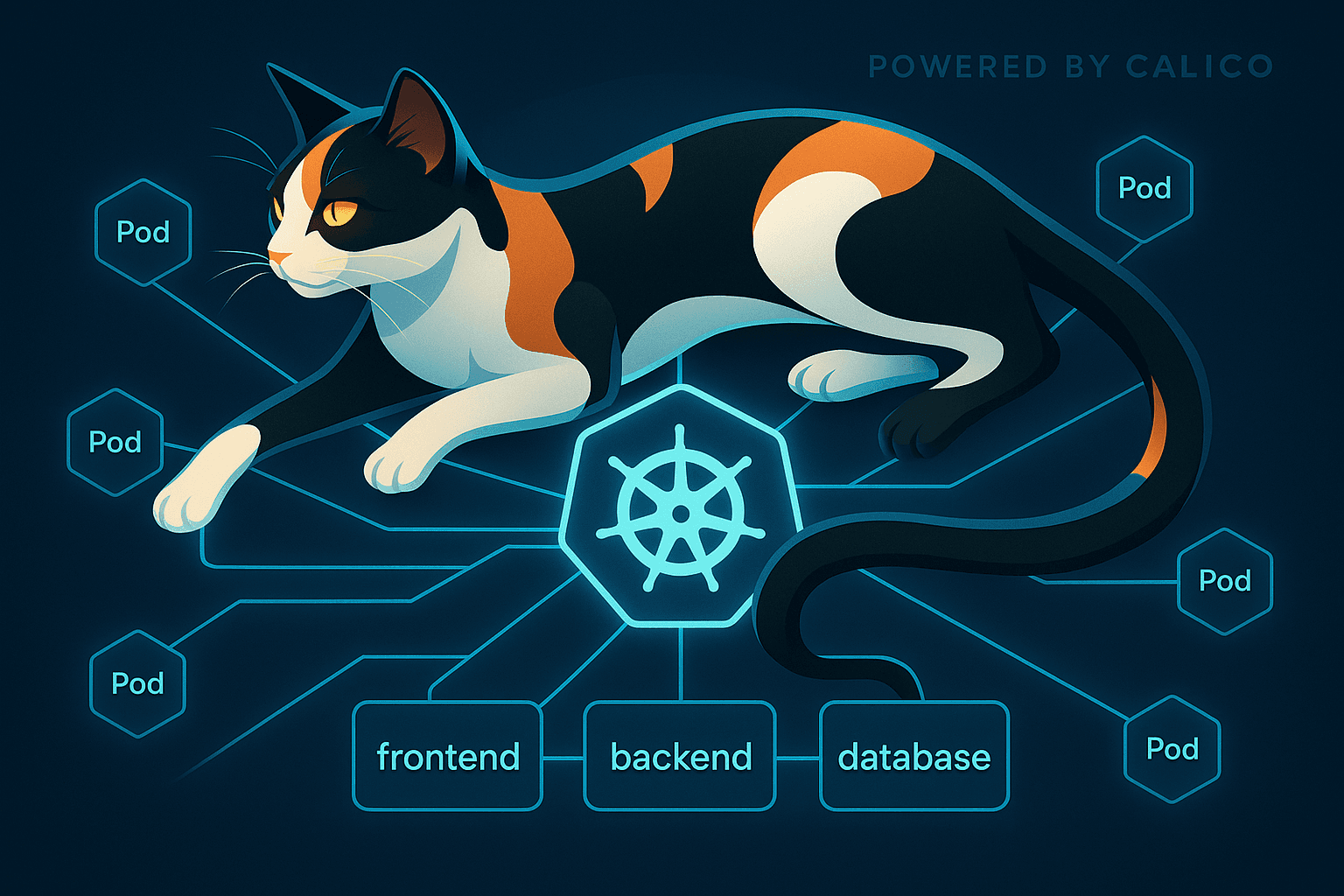
At its core, Calico is both a networking layer and a security layer for Kubernetes. But it is really a full platform that can still act as your CNI, but also enforce policies, define global defaults, manage external networks, and generate flow logs for visibility. In other words, everything you learned with NetworkPolicy in Part 1 still applies, but Calico adds the missing pieces to make those guardrails scale across real clusters.
Today, Calico can:
Enforce Kubernetes
NetworkPolicynatively, just like the baseline rules we used in Part 1.Extend those policies with Calico-only features like
GlobalNetworkPolicy.Provide flow logs and observability, so you can see what’s being allowed or denied.
The important thing to know: you don’t need to swap out Kubernetes concepts to use Calico. It still understands NetworkPolicy. It just adds the missing pieces that make policies usable at scale.
Global Guardrails
In Part 1 we locked down a simple three-tier app (frontend → backend → database) using Kubernetes NetworkPolicy. That worked well for a demo, but it quickly gets annoying when you move beyond a single app. Each namespace needs its own copy of the same baseline: default-deny, DNS egress, and the handful of allowed flows. Good luck keeping that up.
This is where Calico’s GlobalNetworkPolicy comes in. Unlike standard NetworkPolicy, which only applies inside a single namespace, a GlobalNetworkPolicy is enforced cluster-wide. That means you can set a universal default-deny once, or a universal DNS allow, and not worry about duplicating YAML everywhere. Sounds useful.
Here’s a simple example: a cluster-wide default-deny for all ingress and egress. Similar to our NetworkPolicy, but now it's global. We do carve out exceptions for the important namespaces. Save it as global_networkpolicy_deny.yaml.
apiVersion: projectcalico.org/v3
kind: GlobalNetworkPolicy
metadata:
  name: 00-default-deny
spec:
  namespaceSelector: "kubernetes.io/metadata.name not in {'kube-system','calico-system','calico-apiserver','tigera-operator'}"
  types: [Ingress, Egress]
  ingress: []
  egress: []
With that in place, every workload in the cluster is locked down by default. Let's give it a try.
Lab only or chaos will ensue. And even in the lab chaos can ensue without the namespaceSelector. An hour wasted, trust me.
Start by applying the policy:
matt@controlplane:~/calico$ kubectl apply -f global_networkpolicy_deny.yaml
globalnetworkpolicy.projectcalico.org/default-deny created
Next, let's run the same test as we did in Part 1.
matt@controlplane:~/calico$ kubectl run -n frontend test --image=nicolaka/netshoot -it --rm -- bash
If you don't see a command prompt, try pressing enter.
test:~# curl -sS http://api.backend.svc.cluster.local:80
curl: (6) Could not resolve host: api.backend.svc.cluster.local
It just works.
You'll notice we’re no longer using networking.k8s.io/v1/NetworkPolicy and are now taking advantage of the cool stuff Calico provides. Calico introduces its own Custom Resource Definitions (CRDs) for extended policy objects. Of course, that's why the YAML here says apiVersion: projectcalico.org/v3. So what does our CRD look like?
Do a quick check at the top of our CRD:
kubectl get crd globalnetworkpolicies.crd.projectcalico.org -o yaml | head -15
And sure enough, our loyal feline has installed a CRD just for this:
apiVersion: apiextensions.k8s.io/v1
kind: CustomResourceDefinition
metadata:
  name: globalnetworkpolicies.crd.projectcalico.org
spec:
  group: projectcalico.org
  names:
    kind: GlobalNetworkPolicy
    plural: globalnetworkpolicies
    singular: globalnetworkpolicy
  scope: Cluster
  versions:
  - name: v3
    served: true
    storage: true
That names.kind: GlobalNetworkPolicy is the important part: it defines a new top-level resource that extends Kubernetes network policy to the entire cluster. This CRD is what makes the apiVersion: projectcalico.org/v3 YAML valid, and it connects directly into the same enforcement pipeline you saw with native NetworkPolicy. The difference is scope! Instead of being limited to a single namespace, GlobalNetworkPolicy applies consistently across every namespace in the cluster.
So where do we need to go?
DNS Under Global Default-Deny (Calico)
As soon as you flip on a global default-deny, the first thing that quietly dies is DNS. Service lookups stop working, external names can’t resolve, and suddenly every other test fails for mysterious reasons. Yes, I'm repeating Part 1.
That’s because DNS is just another flow — but it’s one that every pod in the cluster depends on. So before we can even think about app-to-app traffic, we need to carve DNS back out at the global level.
Two things must happen for lookups to work end-to-end:
Workloads must be allowed to query CoreDNS (egress 53/UDP+TCP).
CoreDNS itself must be allowed to talk out — to the kube-apiserver (TCP/443) for watching Services/Endpoints, and to any upstream DNS resolvers it forwards to (53/UDP+TCP).
Primer on order
Once you move to Calico, policies aren’t just namespace-scoped lists, they’re evaluated by order.
Lower numbers = higher priority.
The first policy that matches and has a decisive action wins.
The global default-deny can omit
orderand be last.DNS carve-outs need to sit at a slightly higher order (e.g.
20and21) so they apply before the deny.
Think of it like firewall rules: you want your DNS “allow” rules above the blanket “deny everything” rule.
The YAML
Below is a single file that sets up two global policies: one for client pods to reach CoreDNS, and another for CoreDNS itself to reach the API server and upstream resolvers.
apiVersion: projectcalico.org/v3
kind: GlobalNetworkPolicy
metadata:
  name: 01-dns-clients-egress
spec:
  order: 20
  selector: "all()"
  types: [Egress]
  egress:
    - action: Allow
      protocol: UDP
      destination:
        selector: '(k8s-app == "kube-dns") || (app.kubernetes.io/name == "coredns")'
        ports: [53]
    - action: Allow
      protocol: TCP
      destination:
        selector: '(k8s-app == "kube-dns") || (app.kubernetes.io/name == "coredns")'
        ports: [53]
---
apiVersion: projectcalico.org/v3
kind: GlobalNetworkPolicy
metadata:
  name: 02-dns-core
spec:
  order: 21
  selector: '(k8s-app == "kube-dns") || (app.kubernetes.io/name == "coredns")'
  types: [Ingress, Egress]
  ingress:
    - action: Allow
      protocol: UDP
      source:
        selector: "all()"
      destination:
        ports: [53]
    - action: Allow
      protocol: TCP
      source:
        selector: "all()"
      destination:
        ports: [53]
  egress:
    # kube-apiserver Service IP (replace if different; often 10.96.0.1)
    - action: Allow
      protocol: TCP
      destination:
        nets: ["10.96.0.1/32"]
        ports: [443]
    # Upstream DNS resolvers (replace with your real upstreams)
    - action: Allow
      protocol: UDP
      destination:
        nets: ["8.8.8.8/32","8.8.4.4/32"]
        ports: [53]
    - action: Allow
      protocol: TCP
      destination:
        nets: ["8.8.8.8/32","8.8.4.4/32"]
        ports: [53]
What this does
Clients → CoreDNS: any pod can send DNS queries to the DNS pods on UDP/TCP 53.
Ingress into CoreDNS: opens 53 on DNS pods so queries aren’t dropped when ingress is enforced.
CoreDNS → API server: lets CoreDNS watch Service/Endpoint changes on TCP/443 (required for cluster-local names).
CoreDNS → upstream resolvers: if CoreDNS forwards externals, allow 53/UDP+TCP to those IPs (demo uses Google DNS; swap for your own).
Tips
Find the API server ClusterIP:
kubectl get svc kubernetes -n default -o jsonpath='{.spec.clusterIP}'Match CoreDNS labels on any distro:
'(k8s-app == "kube-dns") || (app.kubernetes.io/name == "coredns")'Test quickly:
  kubectl run -n backend test --image=ghcr.io/nicolaka/netshoot -it --rm -- bash
  dig +short kubernetes.default.svc.cluster.local
  dig +short google.com
Straight to Business
With this in place, DNS is restored across the cluster while the global default-deny remains active. Instead of sprinkling DNS exceptions into every namespace, you do it once globally — less YAML, fewer mistakes.
So now we’re at:
Global default-deny: in place and enforced.
Global DNS allow: carved out so names resolve cluster-wide.
That’s the baseline. Next up: app traffic.
App Flows Under Global Deny
Recall from Part 1, our clean three‑tier app chain: frontend → backend → database. Those namespace‑scoped NetworkPolicy objects worked great on their own.
But once you enable a Global Default‑Deny, those app flows no longer work. The global policy applies everywhere, so even the frontend can’t reach the backend unless you explicitly make space for it.
So what do you do? You’ve got at least two main paths forward.
Option A — Keep Kubernetes NetworkPolicy Working
The simplest way is to exclude your app namespaces from the global deny. That way, frontend, backend, and db continue to be governed by the native policies you wrote in Part 1. Everywhere else in the cluster stays locked down.
apiVersion: projectcalico.org/v3
kind: GlobalNetworkPolicy
metadata:
  name: 00-default-deny
spec:
  order: 10
  namespaceSelector: "kubernetes.io/metadata.name not in {'kube-system','calico-system','calico-apiserver','tigera-operator','frontend','backend','db'}"
  types: [Ingress, Egress]
  ingress: []
  egress: []
I would assess this as not even that good for quick labs and definitely not for scale.
Option B — Calico Globals (with explicit ingress and egress)
Re-express the app flows as Calico GlobalNetworkPolicies with order so they evaluate before the global deny. You must allow both directions: permit ingress on the destination tier and egress from the source tier. This is not too different from our previous network policies.
Frontend → Backend (HTTP :80)
apiVersion: projectcalico.org/v3
kind: GlobalNetworkPolicy
metadata:
  name: 09-frontend-egress-to-backend
spec:
  tier: default
  order: 9
  selector: projectcalico.org/namespace == "frontend"
  types: [Egress]
  egress:
    - action: Allow
      protocol: TCP
      destination:
        selector: app == "api"
        ports: [80]
---
apiVersion: projectcalico.org/v3
kind: GlobalNetworkPolicy
metadata:
  name: 09-backend-ingress-from-frontend
spec:
  tier: default
  order: 9
  selector: app == "api"
  types: [Ingress]
  ingress:
    - action: Allow
      protocol: TCP
      source:
        namespaceSelector: projectcalico.org/name == "frontend"
      destination:
        ports: [80]
Backend → Database (TCP :5432)
# Database INGRESS from Backend
apiVersion: projectcalico.org/v3
kind: GlobalNetworkPolicy
metadata:
  name: 09-allow-backend-to-db-ingress
spec:
  order: 9
  selector: app == "db"
  types: [Ingress]
  ingress:
    - action: Allow
      protocol: TCP
      source:
        selector: app == "api"   # backend pods
      destination:
        ports: [5432]
---
# Backend EGRESS to Database
apiVersion: projectcalico.org/v3
kind: GlobalNetworkPolicy
metadata:
  name: 09-allow-backend-to-db-egress
spec:
  order: 9
  selector: app == "api"
  types: [Egress]
  egress:
    - action: Allow
      protocol: TCP
      destination:
        selector: app == "db"
        ports: [5432]
With these in place, your global deny still sets the baseline for the cluster, but these app‑specific allows at order: 9 carve out the necessary paths cleanly.
App Flows Under Global Deny — Option C (Tiers)
So far, we’ve looked at two ways to carve out app flows under a cluster-wide default-deny. But there’s a third way that is more Calico: tiers.
What are tiers?
Calico evaluates policies by tier, then by order.
Tier = high-level category (e.g.,
baseline,app,security).Order = numeric priority within a tier (lower runs first).
This lets you separate “cluster guardrails” from “app-specific rules” so they don’t trip over each other. Think of tiers like folders: guardrail policies go in one, app rules in another. The engine then processes them in order, tier by tier.
Creating tiers
Define tiers once:
apiVersion: projectcalico.org/v3
kind: Tier
metadata:
  name: app
spec: { order: 20 }
---
apiVersion: projectcalico.org/v3
kind: Tier
metadata:
  name: baseline
spec: { order: 100 }
apptier (order 20): higher priority, runs before baseline.baselinetier (order 100): lower priority, catches everything else.
App flows in the app tier
Here, we recreate frontend→backend and backend→db flows, but put them in the app tier:
# Frontend → Backend
apiVersion: projectcalico.org/v3
kind: GlobalNetworkPolicy
metadata:
  name: app-frontend-to-backend
spec:
  tier: app
  order: 10
  selector: projectcalico.org/namespace == "frontend"
  types: [Egress]
  egress:
    - action: Allow
      protocol: TCP
      destination:
        selector: app == "api"
        ports: [80]
---
apiVersion: projectcalico.org/v3
kind: GlobalNetworkPolicy
metadata:
  name: app-backend-ingress
spec:
  tier: app
  order: 10
  selector: app == "api"
  types: [Ingress]
  ingress:
    - action: Allow
      protocol: TCP
      source:
        namespaceSelector: projectcalico.org/name == "frontend"
      destination:
        ports: [80]
---
# Backend → DB
apiVersion: projectcalico.org/v3
kind: GlobalNetworkPolicy
metadata:
  name: app-backend-to-db
spec:
  tier: app
  order: 10
  selector: projectcalico.org/namespace == "backend"
  types: [Egress]
  egress:
    - action: Allow
      protocol: TCP
      destination:
        selector: app == "db"
        ports: [5432]
---
apiVersion: projectcalico.org/v3
kind: GlobalNetworkPolicy
metadata:
  name: app-db-ingress
spec:
  tier: app
  order: 10
  selector: app == "db"
  types: [Ingress]
  ingress:
    - action: Allow
      protocol: TCP
      source:
        namespaceSelector: projectcalico.org/name == "backend"
      destination:
        ports: [5432]
Guardrails in the baseline tier
Default-deny stays at the baseline tier:
apiVersion: projectcalico.org/v3
kind: GlobalNetworkPolicy
metadata:
  name: baseline-default-deny
spec:
  tier: baseline
  selector: all()
  types: [Ingress, Egress]
  ingress: []
  egress: []
I didn't document the creation and validation of this last option as we are just getting more of the same. But it should be clear how they help.
Clear separation: app rules live in
app, guardrails inbaseline.Predictability: app policies are evaluated first; anything not allowed there hits the baseline deny.
Scale: you can add more tiers later (e.g.,
securityfor IDS/IPS-style rules) without mixing concerns.
In other words, tiers give you a clean “policy hierarchy” instead of one giant pile of YAML. They are definitely the best out of our three options.
Seeing Flows with Calico Logs
At this point we’ve put relevant guardrails in place:
Cluster-wide deny + DNS allow (GlobalNetworkPolicy).
App-specific flows (frontend ↔ backend ↔ db) just like Part 1.
But how do you know what’s really happening? Did the policy work? What got blocked, and what slipped through?
This is where Calico’s flow logs come in — and yeah, I admit it, I love logs. They give you clear L3/L4 traffic visibility along with the exact Calico policies that allowed or denied each connection. It’s a newer feature, but one of the most valuable additions to Calico’s policy toolkit.
Enabling Flow Logs
If you're not using the latest and greatest Calico, ensure you upgrade. Just download two definition files and update. Took me a while to figure out I needed some new CRDs that are only on the newest version.
You need to enable Goldmane (I assume it came from the MTG card?) for the logging API and Whisker for the nice little UI that uses Goldmane logging:
kubectl apply -f - <<EOF
apiVersion: operator.tigera.io/v1
kind: Goldmane
metadata:
  name: default
---
apiVersion: operator.tigera.io/v1
kind: Whisker
metadata:
  name: default
EOF
To get this working in the lab you will most likely want to create a NodePort service for Whisker (your UI for flow logs) as it just uses ClusterIP by default. I found this a bit tricky, because my first instinct was to try to get this done by patching the existing service. However, since this follows an operator you'll need to create a new service entirely. Failing to do so will cause your service to revert. Create the following Service in the calico-system namespace via a saved file called whisker-nodeport.yaml:
apiVersion: v1
kind: Service
metadata:
  name: whisker-nodeport
  namespace: calico-system
spec:
  type: NodePort
  ports:
  - port: 8081
    protocol: TCP
    targetPort: 8081
    nodePort: 30082 #Or whatever you so desire, even nothing at all
  selector:
    k8s-app: whisker
Apply as usual via kubectl apply -f whisker-nodeport.yaml.
Ready to roll.
Well, not quite. As we're working on network policies, it is a bit ironic that I found Whisker creates its own network policy, so trying to access it from your local machine or anywhere outside the node that is hosting Whisker will not work. So we need to carve out an exception. I just did a full exception but you might consider narrowing the ingress allowance. Create the following NetworkPolicy in the calico-system namespace via a saved file called whisker-np-allow.yaml:
apiVersion: networking.k8s.io/v1
kind: NetworkPolicy
metadata:
  name: whisker-nodeport-allow
  namespace: calico-system
spec:
  podSelector:
    matchLabels:
      app.kubernetes.io/name: whisker
  policyTypes: [Ingress]
  ingress:
    - ports:
        - protocol: TCP
          port: 8081
Apply as usual via kubectl apply -f whisker-np-allow.yaml. And now you should be able to navigate to your service using something like http://192.168.64.7:30082!

Checking the Logs
Now generate some traffic as we did at the start:
matt@controlplane:~/calico$ kubectl run -n frontend test --image=nicolaka/netshoot -it --rm -- bash
If you don't see a command prompt, try pressing enter.
test:~# curl -sS http://api.backend.svc.cluster.local:80
<!DOCTYPE html>
<html>
<head>
<title>Welcome to nginx!</title>
<style>
html { color-scheme: light dark; }
body { width: 35em; margin: 0 auto;
font-family: Tahoma, Verdana, Arial, sans-serif; }
</style>
</head>
<body>
<h1>Welcome to nginx!</h1>
<p>If you see this page, the nginx web server is successfully installed and
working. Further configuration is required.</p>

<p>For online documentation and support please refer to
<a href="http://nginx.org/">nginx.org</a>.<br/>
Commercial support is available at
<a href="http://nginx.com/">nginx.com</a>.</p>

<p><em>Thank you for using nginx.</em></p>
</body>
</html>
Now you should see some logs. Filter for Destination Namespace of backend and you should see something similar.

Cool, we can see that worked. Now let’s try something that doesn’t work. We’ll go ahead and do the same netshoot test, but this time make a call to the backend service from the default namespace.
matt@controlplane:~/np$ kubectl run test --image=nicolaka/netshoot -it --rm -- bash
If you don't see a command prompt, try pressing enter.
test:~# curl -sS http://api.backend.svc.cluster.local:80
This will fail based on our network policies. So let’s see what Whisker shows.

Reading the Flow Log Verdict
Here’s the example trace from Whisker when our traffic got denied:
{
  "enforced": [
    {
      "kind": "EndOfTier",
      "name": "",
      "namespace": "",
      "tier": "default",
      "action": "Deny",
      "policy_index": 0,
      "rule_index": -1,
      "trigger": {
        "kind": "GlobalNetworkPolicy",
        "name": "default-deny",
        "namespace": "",
        "tier": "default",
        "action": "ActionUnspecified",
        "policy_index": 0,
        "rule_index": 0,
        "trigger": null
      }
    }
  ],
  "pending": [
    {
      "kind": "EndOfTier",
      "name": "",
      "namespace": "",
      "tier": "default",
      "action": "Deny",
      "policy_index": 0,
      "rule_index": -1,
      "trigger": {
        "kind": "GlobalNetworkPolicy",
        "name": "01-dns-clients-egress",
        "namespace": "",
        "tier": "default",
        "action": "ActionUnspecified",
        "policy_index": 0,
        "rule_index": 0,
        "trigger": null
      }
    }
  ]
}
What this is telling us:
Enforced: the cluster-wide
GlobalNetworkPolicy/default-denyin thedefaulttier denied the connection. No preceding allow matched, so the blanket deny won.Pending:
GlobalNetworkPolicy/01-dns-clients-egresswas evaluated but didn’t apply (this traffic wasn’t DNS, so that allow rule wasn’t relevant).Bottom line: the request was denied by the global default-deny; no app allow matched first, and unrelated DNS allow rules won’t help an HTTP call.
If you run the curl from the
frontendnamespace, you’ll typically see your app allow (e.g., frontend→backend) in pending when selectors don’t match — which is a clearer illustration of “the allow didn’t match, so default-deny fired.” Right now, the pending entry is your DNS policy because the request wasn’t DNS.
Beyond the Lab
The lab shows how Calico fills in the gaps left by raw NetworkPolicy. If you’re already running Calico as your CNI, you may have a lot of these features sitting idle without realizing it. Calico isn't just there to hand out pod IPs and push packets around. That’s fine, but it means you’re leaving value on the table:
- Global guardrails: set default-deny and DNS once, not in every namespace. It’s already in the box.
Tiered policies: you can define guardrails at the top, app-specific rules later, and catch everything else at the end.
Flow logs: new in Calico, and genuinely useful for visibility.
Driving Calico only as a CNI is like leaving a stick-shift supercar in first gear. And sorry, there’s no automatic mode in the CNI world. And yes, the cat theme is a bit much — Calico, Tigera, Felix, Whisker, Goldmane — but at least the features deliver.
Coming Up Next
We’ve now gone deep on Kubernetes NetworkPolicy and Calico’s extensions. Next up: Cilium.
Cilium takes a different tack, promising kernel-level enforcement, API-aware observability, and a whole lot of coolness. In the final part of this series we’ll look at how Cilium stacks up.