Access Control, Actually: Kubeadm and the Roots of Kubernetes Access
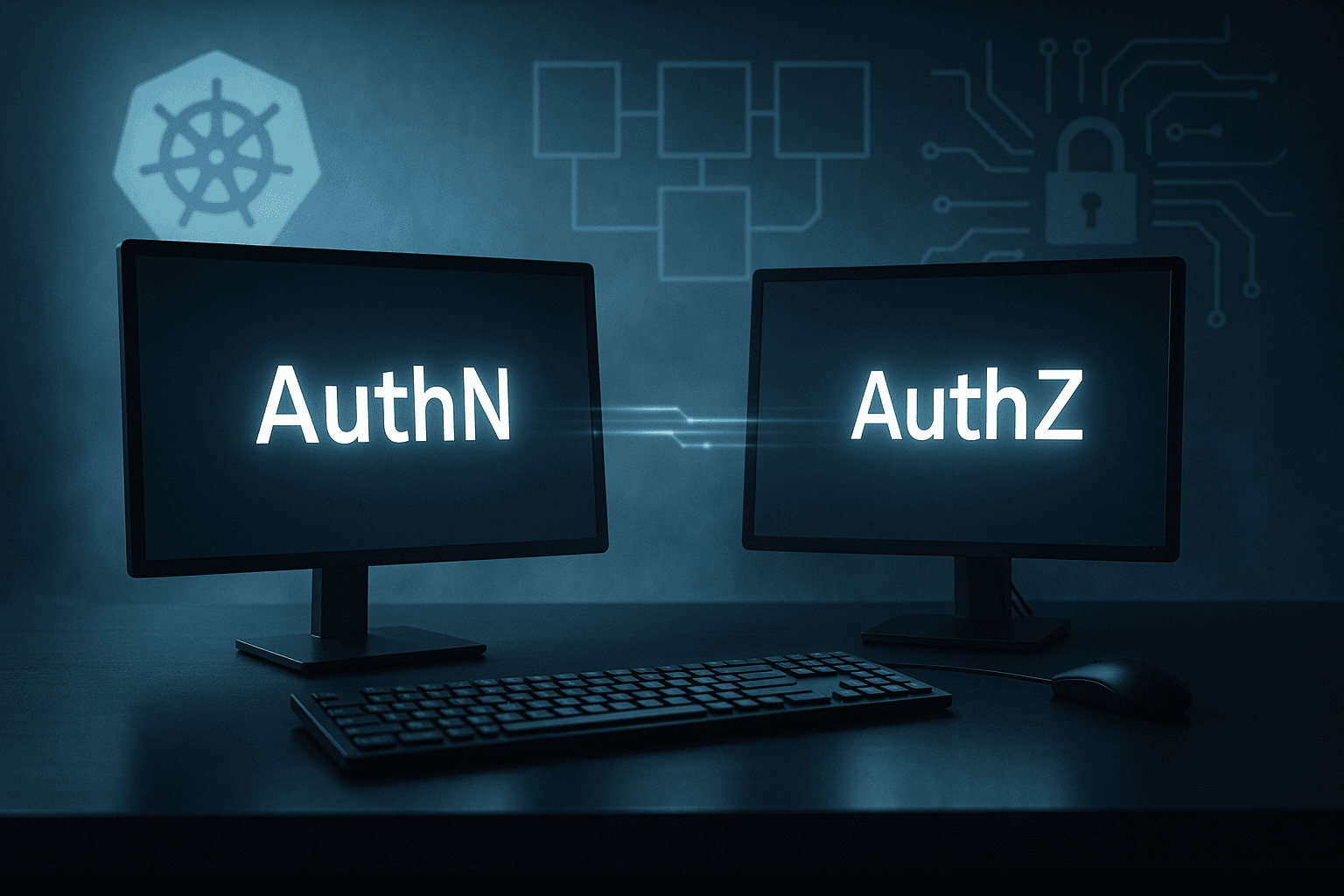
From AuthN to AuthZ
Working as a solutions architect while going deep on Kubernetes security — prevention-first thinking, open source tooling, and a daily rabbit hole of hands-on learning. I make the mistakes, then figure out how to fix them (eventually).
Let’s start simple: you’ve got a Kubernetes cluster running in your lab. How do you get into it?
The easiest way — the one you will always use in a lab running on your laptop — is to SSH directly into a node. You run:
matt.brown@matt ~ % ssh matt@192.168.64.15
...
matt@ciliumcontrolplane:~$ kubectl get po
No resources found in default namespace.
Boom. You’re in. No VPN, no IAM, no hoops. It works because that node has kubectl and a service account with cluster-admin rights. But it’s also the worst possible way to manage access. That SSH key sitting on your laptop? It’s permanent. The cluster logs? They’ll only tell you “user: ubuntu.” If multiple people share that key, you’re in the dark.
This post kicks off a short series exploring how we actually access Kubernetes. From SSH and bastions to identity-aware access with Teleport. The goal is to look at what happens between “I need to connect to that cluster” and “who ran that command.”
Who Am I?
So now that I’m on the node — who exactly am I? Run whoami, and Linux will tell you the obvious.
matt@controlplane:~$ whoami
matt
That’s great. I’m matt, local user, shell access confirmed. But who does Kubernetes think I am? The moment I type kubectl get pods, kubectl uses whatever credentials are sitting under ~/.kube/config or the node’s service account token.
In practice, that means I’m probably acting as system:admin or a service account with cluster-admin rights, because that’s what the node was bootstrapped with.
If I check the current context, I’ll see something like this.
matt@controlplane:~$ kubectl config current-context
kubernetes-admin@kubernetes
Cool — I’m “kubernetes-admin@kubernetes.” Not this admin, not that admin — just kubernetes-admin.
Contexts, Users, and Clusters (a quick decoding)
A Kubernetes context is just a tuple that brings together three things from your kubeconfig:
| Field | Meaning |
| Cluster | Which API server you’re talking to (its address and CA cert). |
| User | Which credential you’re using (client cert, token, exec plugin, etc.). |
| Namespace | The default namespace for commands when you don’t specify one. |
So when kubectl config current-context prints kubernetes-admin@kubernetes, it’s shorthand for: “Use the user kubernetes-admin when connecting to the cluster named kubernetes.” It means the certificate in your kubeconfig file identifies you as the logical user kubernetes-admin.
If you check your kubeconfig (~/.kube/config), you’ll see something like:
apiVersion: v1
users:
- name: kubernetes-admin
  user:
    client-certificate-data: REDACTED
    client-key-data: REDACTED

clusters:
- name: kubernetes
  cluster:
    certificate-authority-data: REDACTED
    server: https://192.168.64.4:6443

current-context: kubernetes-admin@kubernetes
kind: Config
preferences: {}

contexts:
- name: kubernetes-admin@kubernetes
  context:
    cluster: kubernetes
    user: kubernetes-admin
That’s where the magic lives — in this simple static config file. In the lab, it was created when the cluster was bootstrapped with kubeadm, and it uses a client certificate signed by the cluster’s Certificate Authority (CA).
The client-certificate-data and client-key-data fields are just base64-encoded TLS credentials: a certificate and private key that prove who you are to the Kubernetes API server. They’re signed by the cluster’s CA during bootstrap, which is why the API server trusts them without any further login. In short: when kubectl connects, it presents that cert–key pair, and the API server says, “yep, that’s my guy!”
The CA’s own certificates and keys live on every control-plane node under /etc/kubernetes/pki/. They’re not stored in etcd, as I once thought. Each control-plane node has a copy so it can verify incoming connections and issue new certs if it’s ever elected to run the API server.
It’s meant for bootstrapping, not daily use. But because it works — and because it never expires until the cert does — it quietly becomes the kubeconfig you keep using forever.
The Auth Chain of kubectl
Now that we know who we are, we can ask what actually happens when you run a simple command like:
kubectl get pods
Every part of your kubeconfig file gets pulled into action:
kubectl reads your current context
It looks up thecurrent-context(kubernetes-admin@kubernetes) to find which cluster and user to use.kubectl authenticates to the API server
It connects to the cluster’s API endpoint (fromclusters.server) and presents your client certificate and key (fromusers.user). This is mutual TLS.The API server validates your certificate
The API server checks your client certificate against the cluster’s CA, stored locally on the control-plane node under/etc/kubernetes/pki/ca.crt. If the signature is valid, it extracts the subject (likeCN=kubernetes-admin) and uses that as your Kubernetes identity.Kubernetes decides what you’re allowed to do
Once authenticated, authorization kicks in. The API server checks your identity against RBAC roles and role bindings, which are stored in etcd. That’s what determines whetherkubectl get podsreturns a list — or aForbiddenmessage.Audit trail (if enabled)
Finally, the API server logs the request with your derived identity:user="kubernetes-admin" verb="list" resource="pods"
In short, the chain looks like this:
kubectl → client certificate → API server → local CA trust → RBAC (etcd)
It’s all local, self-contained, and cryptographically verified. Of course, if that client certificate gets shared or stolen, the API server will happily authenticate anyone holding it. There’s no MFA, no identity federation, and no notion of who the human really was behind the request.
What Can I Do?
Once the API server validates your identity, it moves from authentication to authorization. Every request coming into Kubernetes carries the user identity that was derived from your authentication method.
For example, after validating your client certificate, the API server sees you as:
user="kubernetes-admin"
groups=["system:authenticated"]
It now checks that identity against Kubernetes RBAC (Role-Based Access Control).
RBAC 101
Kubernetes RBAC is built from four object types:
| Kind | Scope | Purpose |
| Role | Namespaced | Set of allowed actions (verbs) on resources within a single namespace. |
| ClusterRole | Cluster-wide | Same as Role, but not bound to a namespace. |
| RoleBinding | Namespaced | Grants permissions defined in a Role to users, groups, or service accounts. |
| ClusterRoleBinding | Cluster-wide | Grants ClusterRole permissions across the entire cluster. |
Each Role or ClusterRole lists verbs (what actions you can take) and resources (what they apply to).
Bindings then link those rules to actual identities.
Example: Limiting Access
Let’s see this in action by creating a restricted user and verifying permissions.
Step 1 — Create a new user cert
matt@controlplane:~/rbac$ openssl genrsa -out lab-user.key 2048
matt@controlplane:~/rbac$ openssl req -new -key lab-user.key -subj "/CN=lab-user/O=lab-users" -out lab-user.csr
matt@controlplane:~/rbac$ sudo openssl x509 -req -in lab-user.csr   -CA /etc/kubernetes/pki/ca.crt   -CAkey /etc/kubernetes/pki/ca.key   -CAcreateserial   -out lab-user.crt -days 365
Certificate request self-signature ok
subject=CN = lab-user, O = lab-users
Step 2 — Add the user to your kubeconfig
matt@controlplane:~/rbac$ kubectl config set-credentials lab-user   --client-certificate=lab-user.crt   --client-key=lab-user.key
User "lab-user" set.
matt@controlplane:~/rbac$ kubectl config set-context lab-user@kubernetes   --cluster=kubernetes --user=lab-user
Context "lab-user@kubernetes" created.
Step 3 — Try to access pods
matt@controlplane:~/rbac$ kubectl --context lab-user@kubernetes get pods
Error from server (Forbidden): pods is forbidden: User "lab-user" cannot list resource "pods" in API group "" in the namespace "default"
Step 4 — Create a Role and RoleBinding
matt@controlplane:~/rbac$ kubectl create role pod-reader --verb=get,list --resource=pods
role.rbac.authorization.k8s.io/pod-reader created
matt@controlplane:~/rbac$ kubectl create rolebinding pod-read-access   --role=pod-reader   --user=lab-user
rolebinding.rbac.authorization.k8s.io/pod-read-access created
Step 5 — Verify access
matt@controlplane:~/rbac$ kubectl auth can-i list pods --as lab-user
yes
matt@controlplane:~/rbac$ kubectl --context lab-user@kubernetes get pods
NAME                        READY   STATUS    RESTARTS      AGE
flask-app-ccb7dbb5b-5x5qw   1/1     Running   4 (7m ago)    12d
nginx-676b6c5bbc-45cmn      1/1     Running   12 (7m ago)   130d
Now we have it working for pods in the default namespace exactly as expected. That’s where AuthZ meets AuthN. I also cannot believe why that nginx pod is still running.
Cluster RBAC
If you list your ClusterRoles, the output tells the story of your entire cluster:
kubectl get clusterroles
You’ll see something like:
matt@controlplane:~/rbac$ kubectl get clusterroles
NAME                                                                   CREATED AT
admin                                                                  2024-10-17T19:53:04Z
argocd-application-controller                                          2024-10-17T20:27:44Z
...
calico-webhook-reader                                                  2024-10-17T19:55:28Z
cluster-admin                                                          2024-10-17T19:53:04Z
edit                                                                   2024-10-17T19:53:04Z
...
system:certificates.k8s.io:kube-apiserver-client-kubelet-approver      2024-10-17T19:53:04Z
system:certificates.k8s.io:kubelet-serving-approver                    2024-10-17T19:53:04Z
system:controller:attachdetach-controller                              2024-10-17T19:53:04Z
system:controller:certificate-controller                               2024-10-17T19:53:04Z
...
system:kube-dns                                                        2024-10-17T19:53:04Z
system:kube-scheduler                                                  2024-10-17T19:53:04Z
...
system:node-bootstrapper                                               2024-10-17T19:53:04Z
...
Those entries generally come from three places:
| Category | Example | Purpose |
| Built-in roles | cluster-admin, edit | Human-facing defaults created by Kubernetes itself. |
| System roles | system:controller:*, system:node | Internal roles used by control-plane components and kubelets. |
| Addon roles | calico-*, argocd-* | Created by installed operators and charts. |
Each of these defines what actions are allowed (verbs) and where they apply (resources, apiGroups). Your authenticated user is matched to one of these via a RoleBinding or ClusterRoleBinding.
For example, the default bootstrap identity kubernetes-admin maps directly to the god-tier cluster-admin role:
subjects:
- kind: User
  name: kubernetes-admin
roleRef:
  kind: ClusterRole
  name: cluster-admin
That’s why everything “just works” in a fresh lab, but it also means you’re running as the same identity and privilege level as the cluster admin.
Assigning Cluster Roles
ClusterRoles define what can be done. ClusterRoleBindings define who can do it.
You can see your bindings with:
kubectl get clusterrolebindings
Example from a kubeadm-based cluster:
kubeadm:cluster-admins                                          ClusterRole/cluster-admin                                                          253d
kubeadm:get-nodes                                               ClusterRole/kubeadm:get-nodes                                                      360d
kubeadm:kubelet-bootstrap                                       ClusterRole/system:node-bootstrapper                                               360d
kubeadm:node-autoapprove-bootstrap                              ClusterRole/system:certificates.k8s.io:certificatesigningrequests:nodeclient       360d
kubeadm:node-autoapprove-certificate-rotation                   ClusterRole/system:certificates.k8s.io:certificatesigningrequests:selfnodeclient   360d
kubeadm:node-proxier                                            ClusterRole/system:node-proxier                                                    360d
Each of these connects an identity (user, group, or service account) to a ClusterRole.
| Binding | Role | Subject | Purpose |
| kubeadm:cluster-admins | cluster-admin | Group kubeadm:cluster-admins | Grants full cluster-wide privileges. |
| kubeadm:get-nodes | kubeadm:get-nodes | Bootstrap group | Lets components read node info. |
| kubeadm:kubelet-bootstrap | system:node-bootstrapper | system:bootstrappers:kubeadm:default-node-token | Allows new nodes to register. |
| kubeadm:node-autoapprove-bootstrap | system:certificates.k8s.io:certificatesigningrequests:nodeclient | system:bootstrappers:kubeadm:default-node-token | Auto-approves node CSR during bootstrap. |
| kubeadm:node-autoapprove-certificate-rotation | system:certificates.k8s.io:certificatesigningrequests:selfnodeclient | Group system:nodes | Lets kubelets rotate their client certs. |
| kubeadm:node-proxier | system:node-proxier | ServiceAccount kube-system:kube-proxy | Lets kube-proxy manage endpoints and services. |
In short:
ClusterRoles define privileges.
ClusterRoleBindings assign them to identities.
The API server enforces that mapping on every request.
Following the Binding Chain
Now let’s dig into the default admin binding:
matt@controlplane:~/rbac$ kubectl describe clusterrolebinding kubeadm:cluster-admins
Name:         kubeadm:cluster-admins
Labels:       <none>
Annotations:  <none>
Role:
  Kind:  ClusterRole
  Name:  cluster-admin
Subjects:
  Kind   Name                    Namespace
  ----   ----                    ---------
  Group  kubeadm:cluster-admins
Notice it doesn’t bind to a specific user — instead, it references a group that the user belongs to.
In your lab, that group mapping comes from the client certificate issued during cluster bootstrap.
You can inspect it yourself:
matt@controlplane:~/rbac$ kubectl config view --minify --raw -o jsonpath='{.users[0].user.client-certificate-data}' | base64 -d | openssl x509 -noout -subject
subject=O = system:masters, CN = kubernetes-admin
Here’s what that means:
- CN (Common Name) → your username,
kubernetes-admin - O (Organization) → your group,
system:masters
When the API server validates this certificate, it extracts both:
User:  CN=kubernetes-admin
Group: O=system:masters
That system:masters group is special as it’s automatically bound to the cluster-admin role by default in kubeadm clusters. In other words, anyone presenting a valid cert with O=system:masters skips straight to full admin rights. It’s convenient for bootstrapping and that is probably its only advantage.
A quick peek at system:masters from its ClusterRoleBinding:
matt@controlplane:~$ kubectl get clusterrolebinding cluster-admin -o yaml
apiVersion: rbac.authorization.k8s.io/v1
kind: ClusterRoleBinding
metadata:
  annotations:
    rbac.authorization.kubernetes.io/autoupdate: "true"
  creationTimestamp: "2024-10-17T19:53:04Z"
  labels:
    kubernetes.io/bootstrapping: rbac-defaults
  name: cluster-admin
  resourceVersion: "134"
  uid: 640338d1-5f25-4c59-bdca-893969ecb818
roleRef:
  apiGroup: rbac.authorization.k8s.io
  kind: ClusterRole
  name: cluster-admin
subjects:
- apiGroup: rbac.authorization.k8s.io
  kind: Group
  name: system:masters
That’s how your identity maps to permissions:
kubernetes-admin (user)
  ↓
system:masters (group)
  ↓
ClusterRoleBinding cluster-admin
  ↓
ClusterRole cluster-admin
Visualized:
Certificate (CN/O) → Authenticated User/Group → ClusterRoleBinding → ClusterRole → Permissions
This is the complete auth-to-RBAC chain that Kubernetes walks through on every API request — from certificate identity to effective privileges.
Users vs. Service Accounts
Until now we’ve been talking about users — real people (or certificates pretending to be). But what about all the API calls in Kubernetes that don’t come from humans, the ones that come from pods.
Pods use service accounts to authenticate. These are actual Kubernetes objects, not external identities.
Users vs Service Accounts
Here is a basic assessment of Users and Service Accounts.
Users:
- Represent humans (or external systems).
- Not stored in Kubernetes. You authenticate via certificates, tokens, or OIDC, and Kubernetes just trusts what the API server tells it.
- Example:
user="kubernetes-admin"
groups=["system:masters","system:authenticated"]
Service Accounts:
- Represent workloads.
- Are real objects in the cluster:
kubectl get serviceaccounts -A - Live in namespaces, have tokens, and can be bound to Roles/ClusterRoles.
- Example:
system:serviceaccount:default:myapp
The Default Service Account
Let's take a look at one service account in detail, the Default Service Account. And this will be looking at an nginx container in the default namespace.
Every namespace ships with a default ServiceAccount. If you don’t specify serviceAccountName in your Pod/Deployment, Kubernetes assigns default automatically and projects a short-lived JWT token into the pod.
Verify the default SA exists (and why “Tokens: none” is normal now):
matt@controlplane:~$ kubectl describe sa default -n default
Name:                default
Namespace:           default
Labels:              <none>
Annotations:         <none>
Image pull secrets:  <none>
Mountable secrets:   <none>
Tokens:              <none>
Events:              <none>
Which SA is my nginx pod using? This will of course be different per test environment.
matt@controlplane:~$ kubectl get pod nginx-676b6c5bbc-45cmn -o jsonpath='{.spec.serviceAccountName}'
default
See the live token in the pod (identity = service account):
matt@controlplkubectl exec -it nginx-676b6c5bbc-45cmn -- cat /var/run/secrets/kubernetes.io/serviceaccount/token/token
eyJhbGciOiJSUz...
Decode the token payload locally (don’t upload it anywhere):
TOKEN='<paste_the_value_above>'
echo "$TOKEN" | cut -d. -f2 | tr '_-' '/+' | base64 -d 2>/dev/null | jq .
# Look for:
#  "sub": "system:serviceaccount:default:default"
#  "iss": "https://kubernetes.default.svc.cluster.local"
#  "kubernetes.io": { "namespace": "default", "pod": { "name": "nginx-..." }, "serviceaccount": {"name":"default"} }
What can this identity actually do?
There are two quick ways to check (without touching the pod):
1) From your admin shell, impersonate the SA for targeted checks:
matt@controlplane:~$ kubectl auth can-i get secrets -n default --as system:serviceaccount:default:default
no
matt@controlplane:~$ kubectl auth can-i list pods -n default --as system:serviceaccount:default:default
no
Or list everything allowed in the namespace:
matt@controlplane:~/rbac$ kubectl auth can-i --list -n default --as system:serviceaccount:default:default
Resources                                       Non-Resource URLs                      Resource Names   Verbs
selfsubjectreviews.authentication.k8s.io        []                                     []               [create]
selfsubjectaccessreviews.authorization.k8s.io   []                                     []               [create]
selfsubjectrulesreviews.authorization.k8s.io    []                                     []               [create]
globalnetworkpolicies.projectcalico.org         []                                     []               [get list watch create update patch delete deletecollection]
networkpolicies.projectcalico.org               []                                     []               [get list watch create update patch delete deletecollection]
                                                [/.well-known/openid-configuration/]   []               [get]
                                                [/api/*]                               []               [get]
                                                [/apis/*]                              []               [get]
                                                [/healthz]                             []               [get]
                                                [/livez]                               []               [get]
                                                [/openapi/*]                           []               [get]
                                                [/openid/v1/jwks/]                     []               [get]
                                                [/readyz]                              []               [get]
                                                [/version]                             []               [get]
Why your nginx can “see” discovery but not much else:
You likely won’t find any RoleBinding/ClusterRoleBinding that names system:serviceaccount:default:default directly. Instead, the default SA inherits low-risk capabilities via groups that all service accounts are in:
system:authenticatedsystem:serviceaccountssystem:serviceaccounts:default
Check the group-based bindings you have:
kubectl get clusterrolebindings -o json | jq -r '
  .items[] | select(.subjects != null) |
  select(any(.subjects[]?;
    (.kind=="Group") and
    (.name=="system:authenticated" or .name=="system:serviceaccounts" or .name=="system:serviceaccounts:default")
  )) |
  .metadata.name + " -> " + .roleRef.kind + "/" + .roleRef.name
'
# e.g.
# system:discovery -> ClusterRole/system:discovery
# system:basic-user -> ClusterRole/system:basic-user
# system:public-info-viewer -> ClusterRole/system:public-info-viewer
Interpretation:
system:discovery→ API discovery endpoints (/api,/apis,/version, etc.)system:basic-user→ “who am I” checks (SelfSubjectAccessReview / RulesReview)system:public-info-viewer→ limited non-sensitive reads- (Add-ons like Calico may add their own minimal reads)
Avoid the Default Lifestyle:
If you want to avoid using this there are a couple options.
- Set
serviceAccountNameexplicitly per workload and bind the least privileges it needs. - Or disable auto-token mount when the pod doesn’t need the API:
apiVersion: v1
kind: Pod
metadata: { name: no-api }
spec:
  automountServiceAccountToken: false
  containers: [{ name: c, image: busybox, command: ["sleep","3600"] }]
That's how easy it can be to fix some little things.
Wrap Up
Kubernetes makes access look deceptively simple. Just a kubeconfig here, a service account there. But under the hood it’s a stack of implicit trust.
- The API server trusts the CA that signed your client certs.
- RBAC trusts whatever identity that cert or token presents.
- And you trust that nobody else has the same file sitting on their laptop.
In this post we walked from SSH on the node → kubeconfig certificates → RBAC bindings → default service accounts. Each step added some structure but not much accountability. Kubernetes is excellent at verifying that someone has permission but it just doesn’t always know who that someone actually is.
Kubernetes RBAC might be remedial for many, but it is still something worth exploring in my opinion. Going through this deep dive actually taught me quite a bit. So I hope you found it helpful.
Next up, we’ll look at an option to better manage RBAC. We’ll look at Teleport, a way to bring short-lived, auditable identity into Kubernetes access without rewriting how you work.